

SSH login monitoring
“Someone logged into the box” is the single highest-signal event a small team can watch, and the one most monitoring setups leave to a DIY PAM script. AlertKick’s agent tracks SSH at the kernel level: every login becomes a session record with who, from where, for how long, and what ran - and a set of rules decides which logins deserve a page.
The SSH rule set
Section titled “The SSH rule set”Security -> Rules ships several SSH policies under Access Control, each independently toggleable:
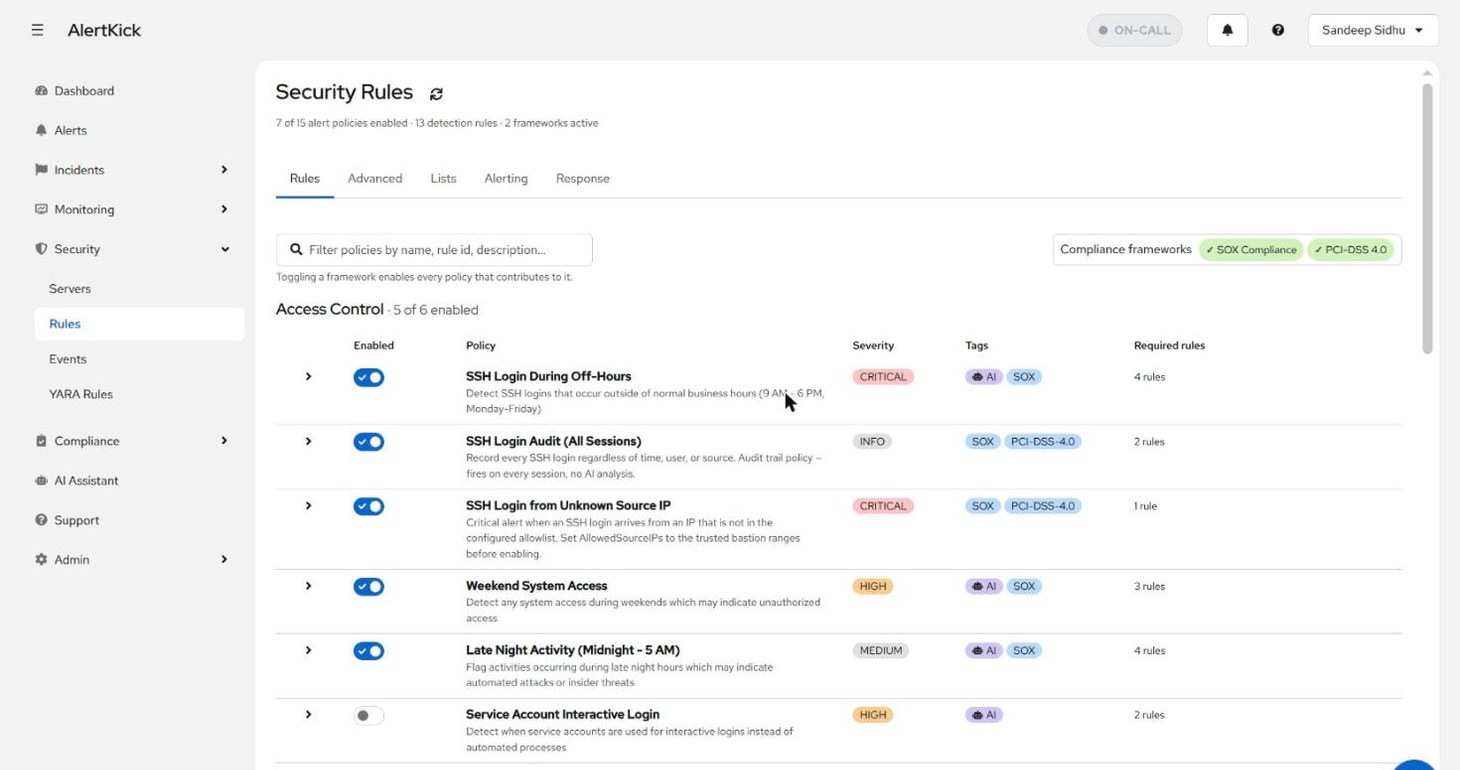
- SSH Login During Off-Hours (critical) - logins outside your configured business hours.
- SSH Login Audit (All Sessions) (info) - fires on every session, no AI analysis. This is the audit-trail rule: it exists so the record is complete, not to page anyone.
- SSH Login from Unknown Source IP (critical) - the source address is not on your allowed-IPs list (below).
- Weekend System Access and Late Night Activity - broader time-based access rules that catch more than SSH.
Teach it your working hours
Section titled “Teach it your working hours”The off-hours and weekend rules are only as good as the calendar they check against. Security -> Rules -> Alerting holds both the alert plumbing (minimum severity that opens an alert, which escalation policy runs) and the business-hours definition - timezone, start and end hour, and which days count as workdays:
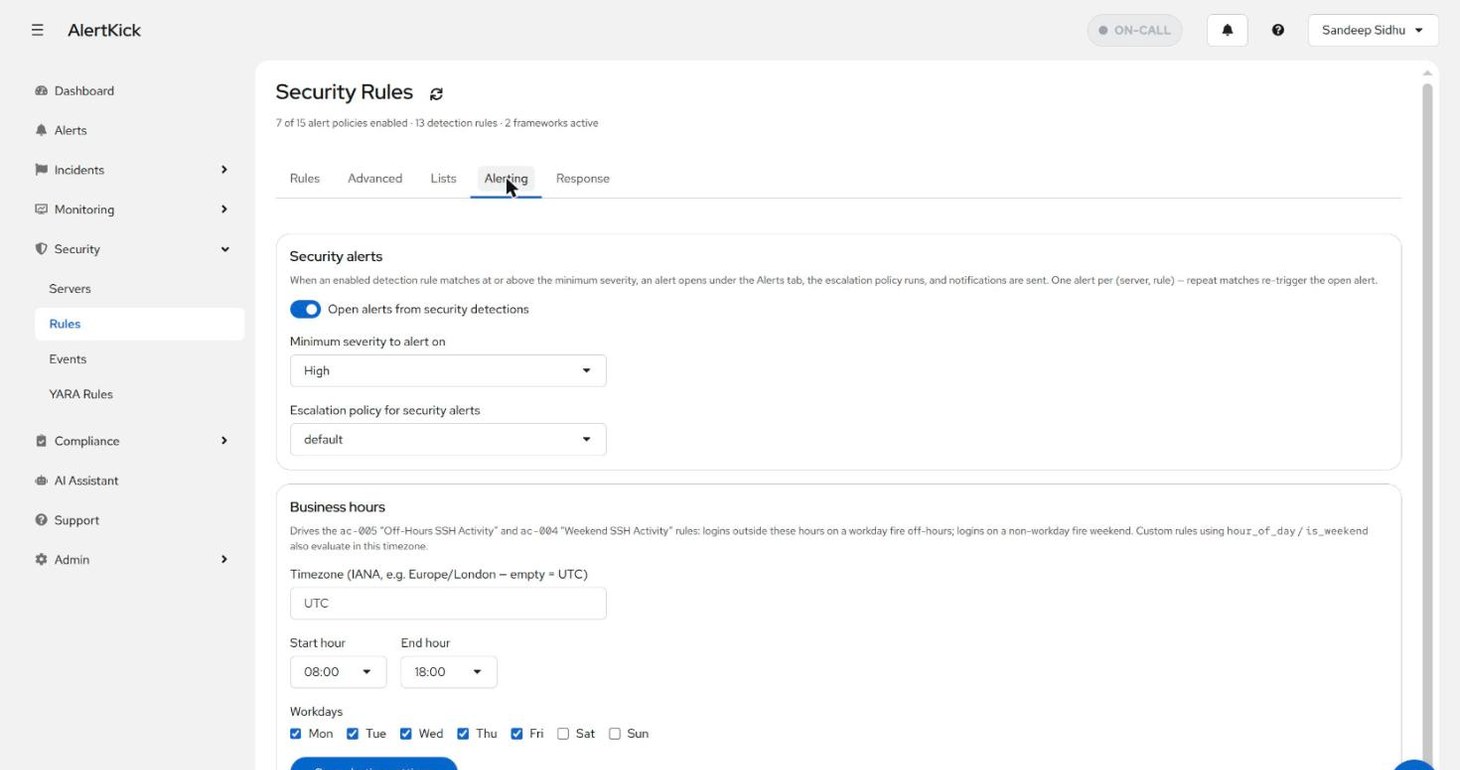
A login at 22:00 on a Tuesday fires the off-hours rule; the same login
at 22:00 during an agreed maintenance window is still off-hours - the
system flags anomalies against the schedule, and the AI triage verdict
weighs context like correlated deployments when deciding how suspicious
it looks. Custom rules can reference the same hour_of_day /
is_weekend fields and evaluate in the same timezone.
Teach it your trusted sources
Section titled “Teach it your trusted sources”Security -> Rules -> Lists holds the account-wide SSH allowed source IPs list - the bastion hosts, office ranges, and home addresses you expect logins from:
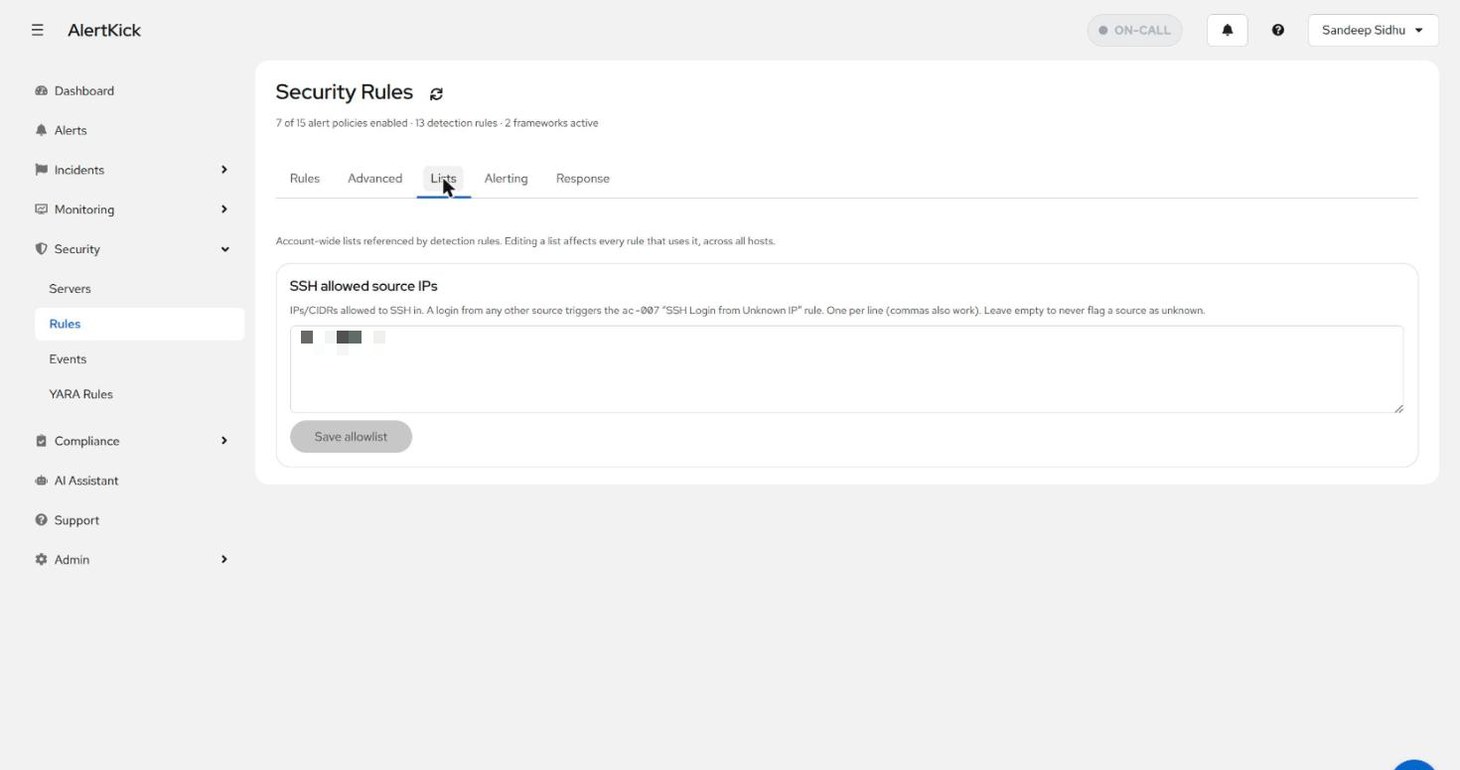
A login from any address not on the list triggers the unknown-source rule at critical severity. Leave the list empty and the rule stays silent - sessions are then marked unverified rather than judged, so you know the difference between “checked and trusted” and “never checked”.
Per-server session history
Section titled “Per-server session history”Every server’s detail page has an SSH Logins tab. At the top, two per-host settings:
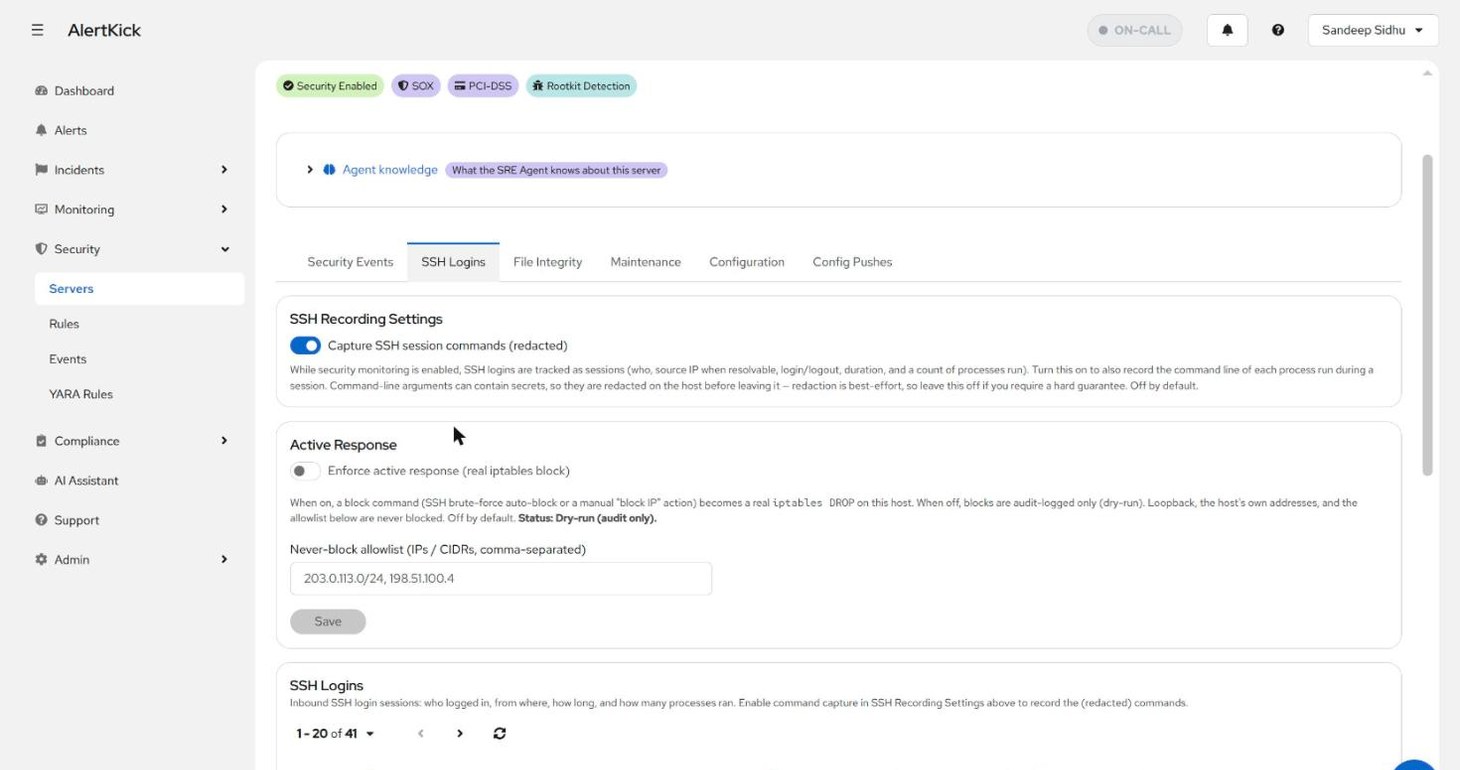
- SSH Recording Settings - session tracking is always on while security monitoring is enabled; this toggle additionally records the command line of each process run in a session. Arguments can contain secrets, so they are redacted on the host before leaving it - the redaction is best-effort, which is why the toggle is off by default and the page says so.
- Active Response - whether block commands become real firewall rules on this host (next section).
Below them, the session list - one row per login with its trust verdict, process count, and duration; expanding a row shows the session lifecycle and, when capture is on, the redacted command timeline:
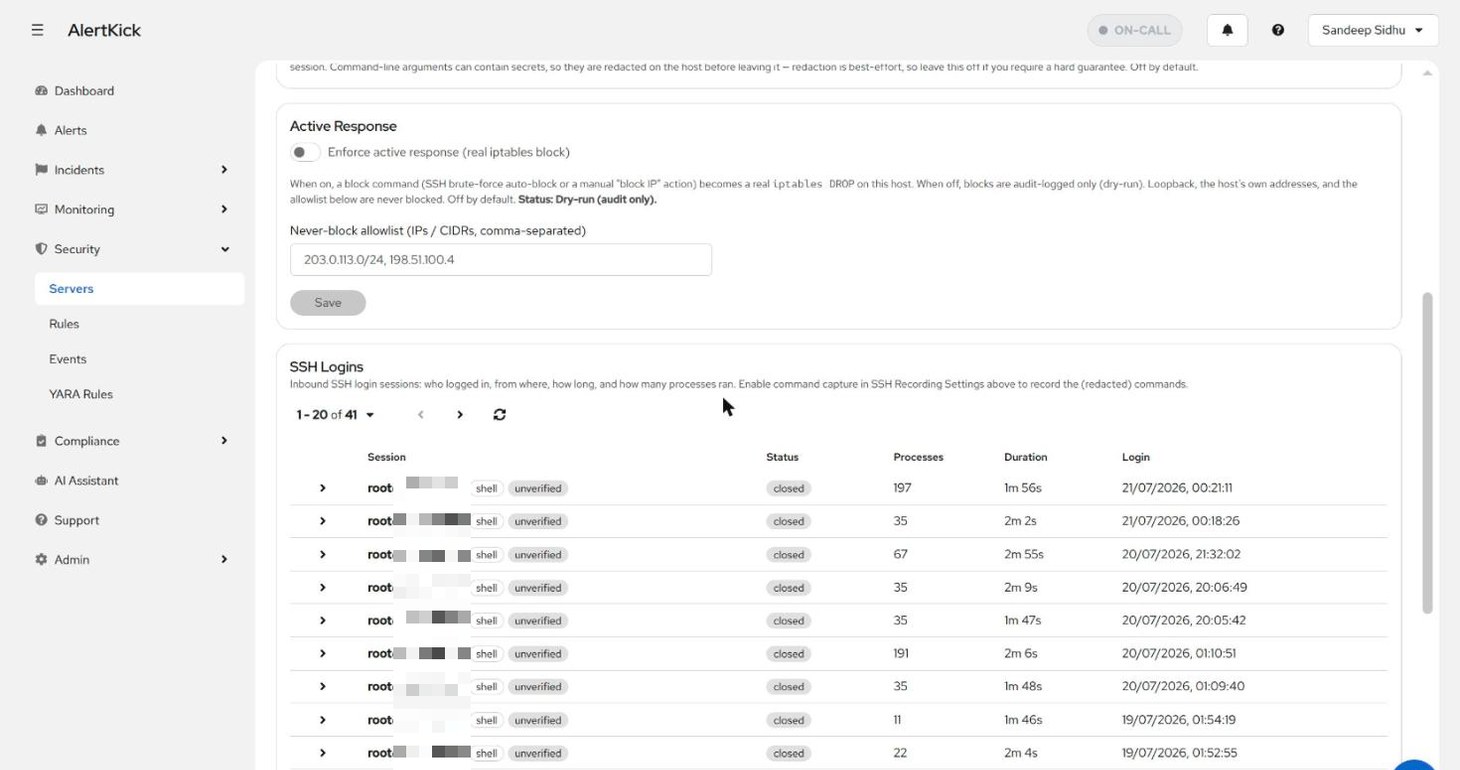
The chips carry the source-IP verdict: trusted (on the allowlist), untrusted (not on it - a critical alert fired at connect time), or unverified (no allowlist configured, nothing to judge against).
Automatic brute-force blocking
Section titled “Automatic brute-force blocking”Security -> Rules -> Response configures what happens when the SSH brute-force detection fires - repeated failed logins, or a source on a threat feed:
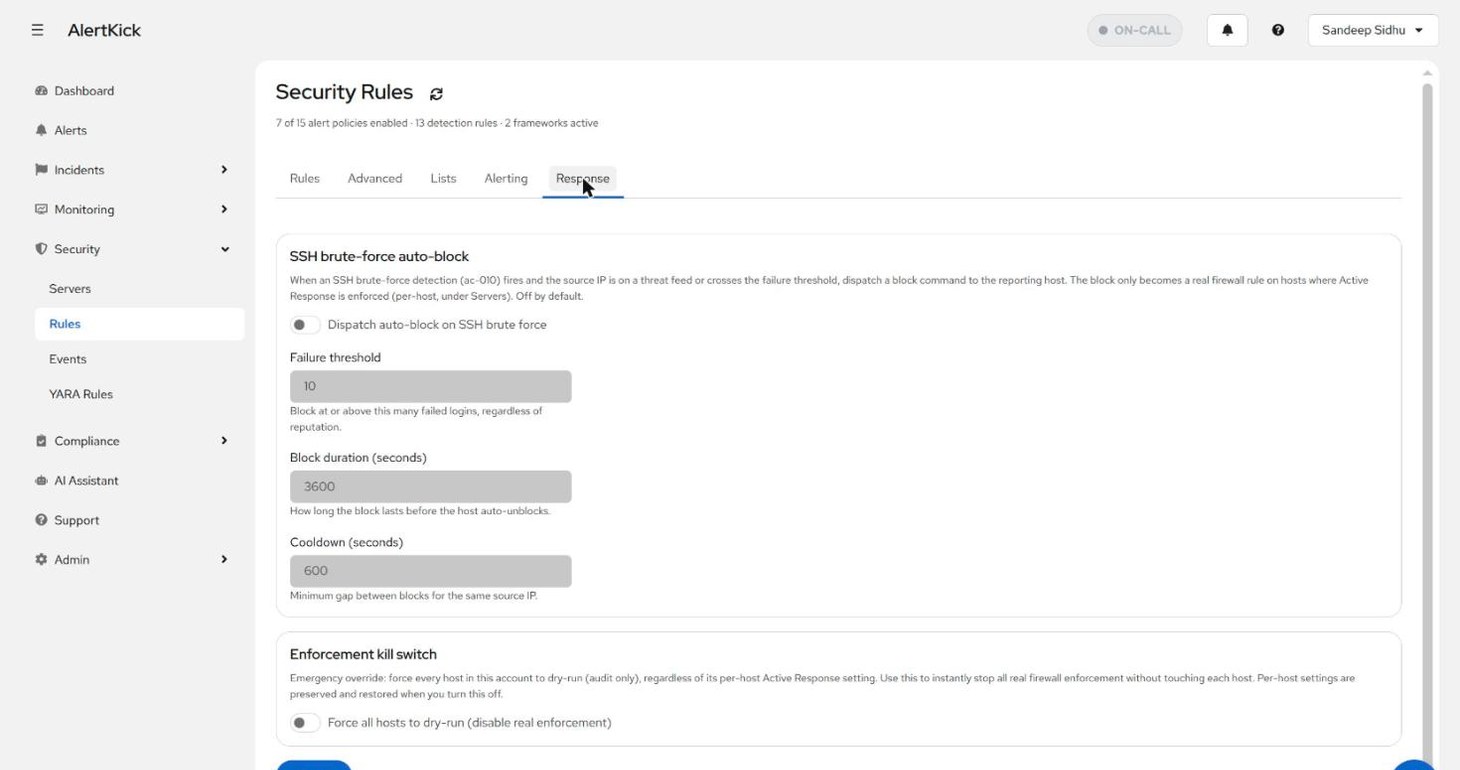
The design assumes you do not fully trust an automatic firewall rule on day one, and it should earn that trust in stages:
- Dry-run by default. A block command is audit-logged on every
host but only becomes a real
iptablesDROP on hosts where Active Response is explicitly enforced (the per-server toggle above). Run in dry-run for a week and read what it would have blocked. - Never-block allowlist. Loopback, the host’s own addresses, and your listed IPs/CIDRs are never blocked - so a misfiring rule cannot lock you out of your own bastion.
- Bounded blocks. Failure threshold, block duration, and a cooldown between blocks for the same source keep the response proportionate and self-expiring.
- Kill switch. One account-wide toggle forces every host back to dry-run without touching per-host settings - the instant-off if enforcement ever misbehaves.
When a rule fires
Section titled “When a rule fires”SSH rules feed the same pipeline as everything else: an alert opens under Alerts (deduplicated per server and rule), the AI verdict explains why the login looked suspicious - unknown source, outside business hours, no correlated deployment - and the escalation policy takes it from there. The alerts guide walks that lifecycle, and escalation policies covers the routing.