SSH login monitoring
Track every SSH session at the kernel level - off-hours and unknown-source alerts driven by your business hours, per-session process counts and optional command capture, and automatic brute-force blocking with a dry-run safety net.
Updated
“Someone logged into the box” is the single highest-signal event a small team can watch, and the one most monitoring setups leave to a DIY PAM script. AlertKick’s agent tracks SSH at the kernel level: every login becomes a session record with who, from where, for how long, and what ran - and a set of rules decides which logins deserve a page.
The SSH rule set
Security -> Rules ships several SSH policies under Access Control, each independently toggleable:
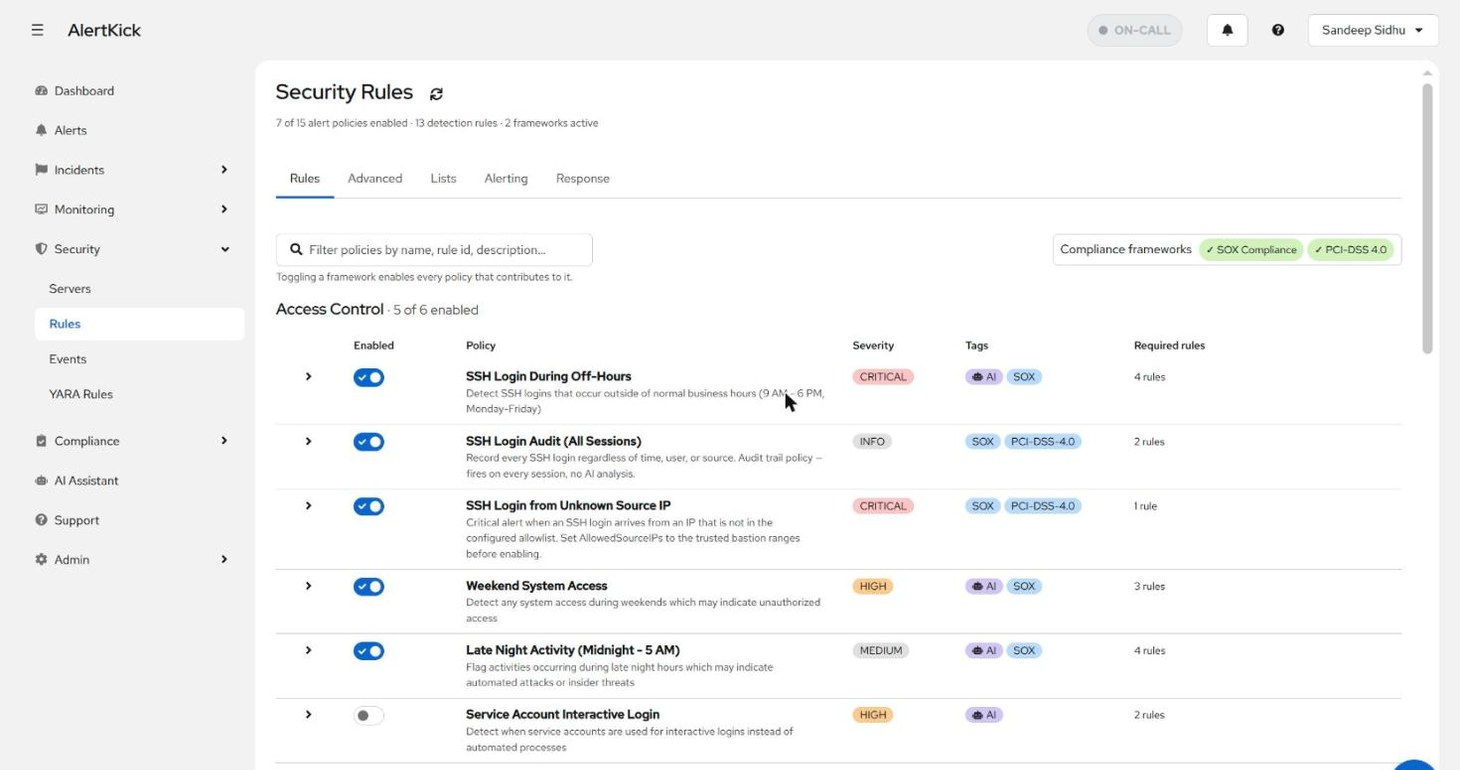
- SSH Login During Off-Hours (critical) - logins outside your configured business hours.
- SSH Login Audit (All Sessions) (info) - fires on every session, no AI analysis. This is the audit-trail rule: it exists so the record is complete, not to page anyone.
- SSH Login from Unknown Source IP (critical) - the source address is not on your allowed-IPs list (below).
- Weekend System Access and Late Night Activity - broader time-based access rules that catch more than SSH.
Teach it your working hours
The off-hours and weekend rules are only as good as the calendar they check against. Security -> Rules -> Alerting holds both the alert plumbing (minimum severity that opens an alert, which escalation policy runs) and the business-hours definition - timezone, start and end hour, and which days count as workdays:
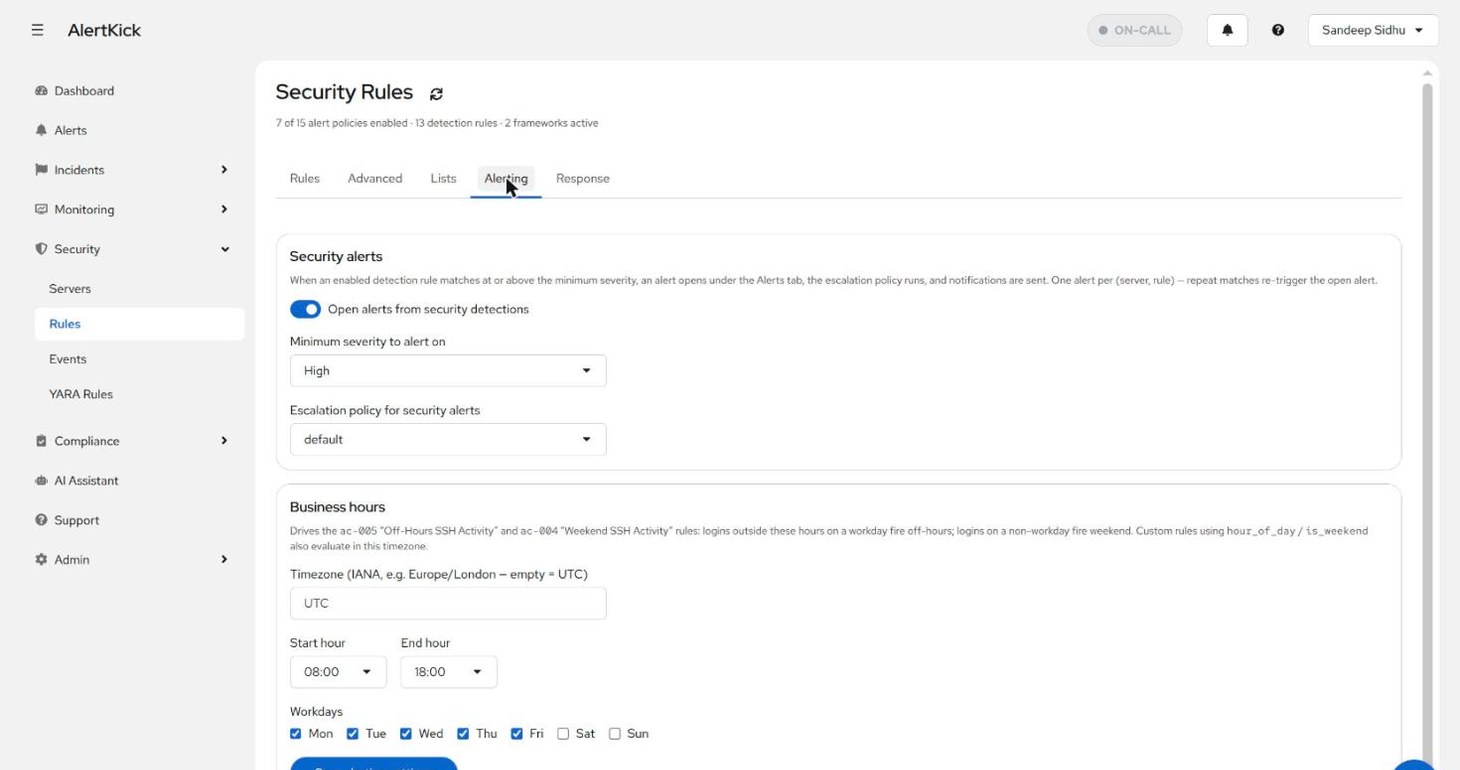
A login at 22:00 on a Tuesday fires the off-hours rule; the same login
at 22:00 during an agreed maintenance window is still off-hours - the
system flags anomalies against the schedule, and the AI triage verdict
weighs context like correlated deployments when deciding how suspicious
it looks. Custom rules can reference the same hour_of_day /
is_weekend fields and evaluate in the same timezone.
Teach it your trusted sources
Security -> Rules -> Lists holds the account-wide SSH allowed source IPs list - the bastion hosts, office ranges, and home addresses you expect logins from:
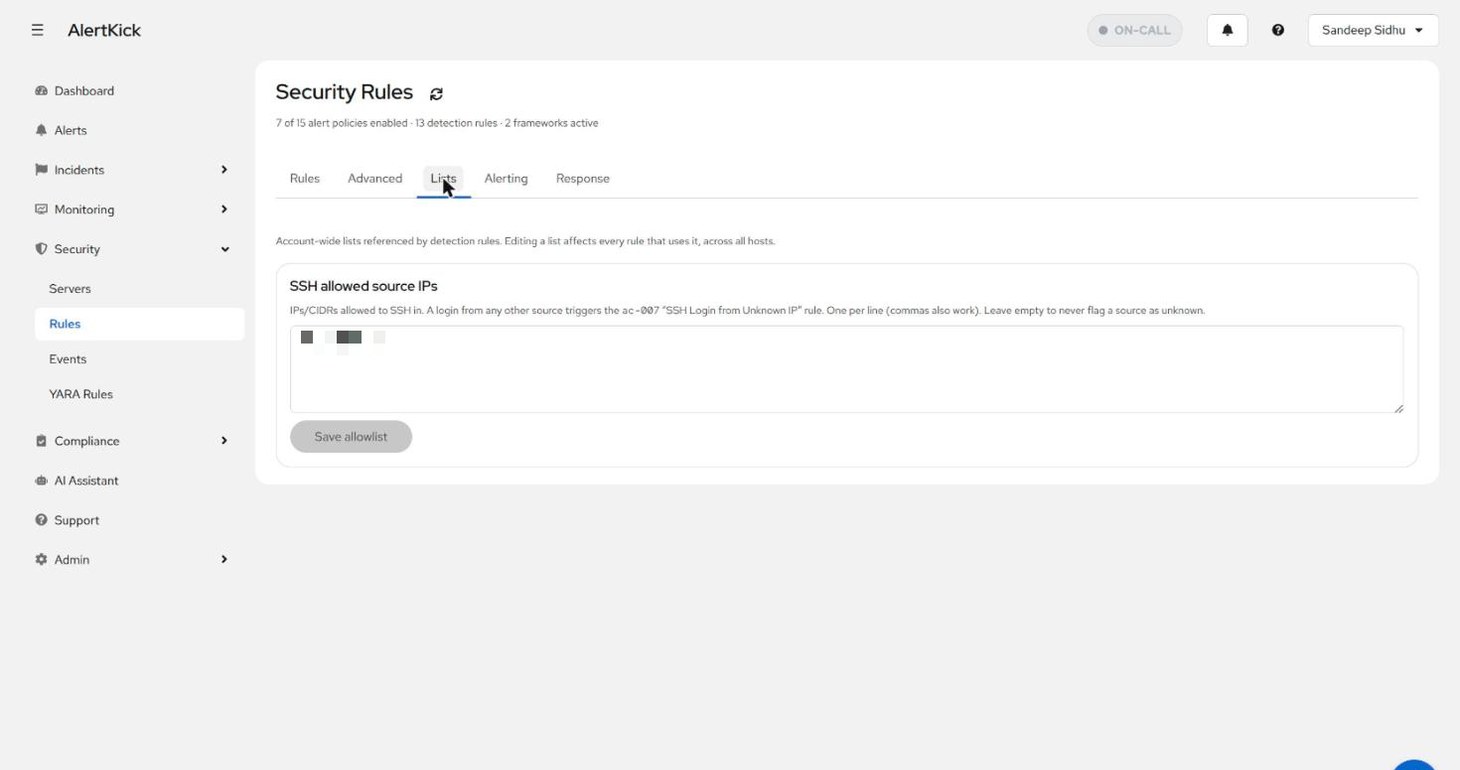
A login from any address not on the list triggers the unknown-source rule at critical severity. Leave the list empty and the rule stays silent - sessions are then marked unverified rather than judged, so you know the difference between “checked and trusted” and “never checked”.
Per-server session history
Every server’s detail page has an SSH Logins tab. At the top, two per-host settings:
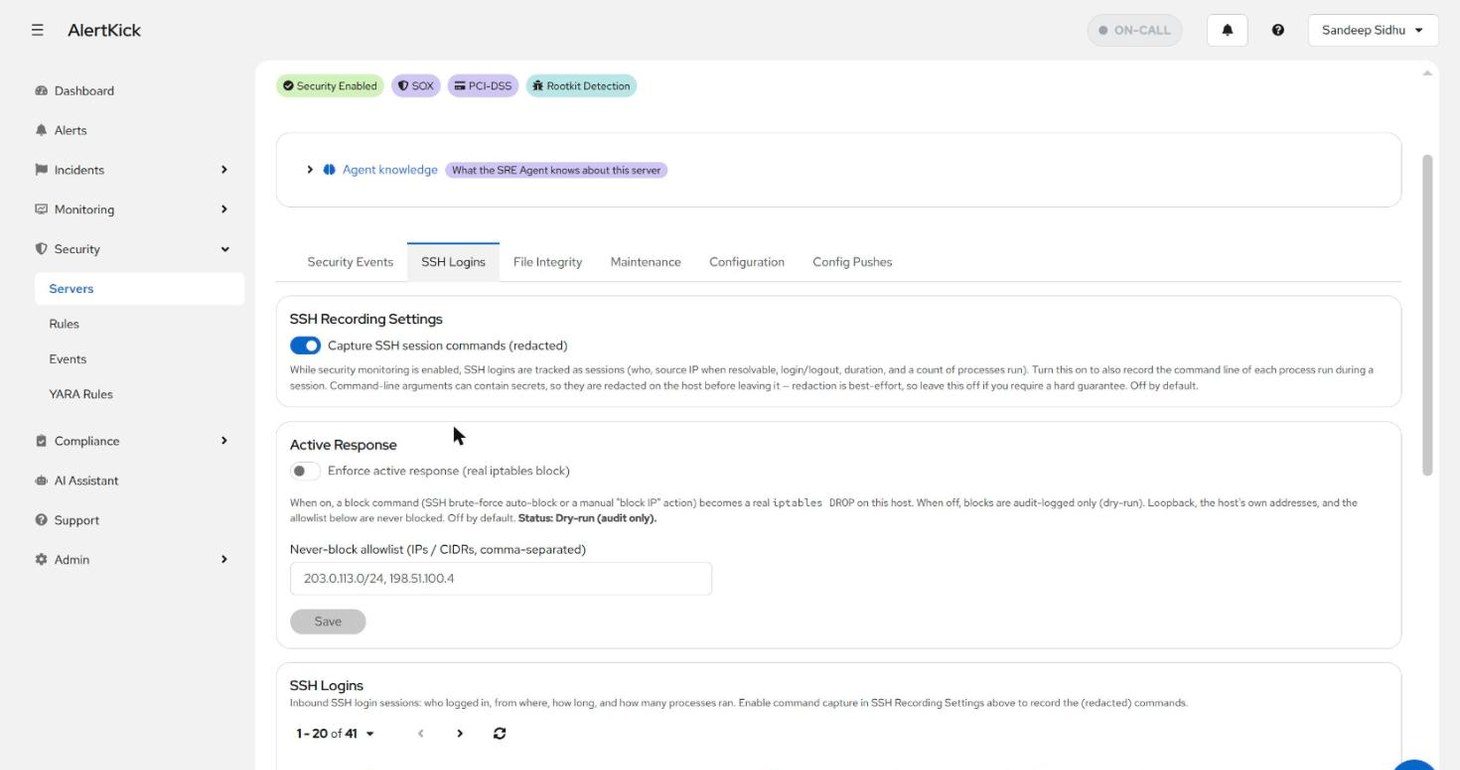
- SSH Recording Settings - session tracking is always on while security monitoring is enabled; this toggle additionally records the command line of each process run in a session. Arguments can contain secrets, so they are redacted on the host before leaving it - the redaction is best-effort, which is why the toggle is off by default and the page says so.
- Active Response - whether block commands become real firewall rules on this host (next section).
Below them, the session list - one row per login with its trust verdict, process count, and duration; expanding a row shows the session lifecycle and, when capture is on, the redacted command timeline:
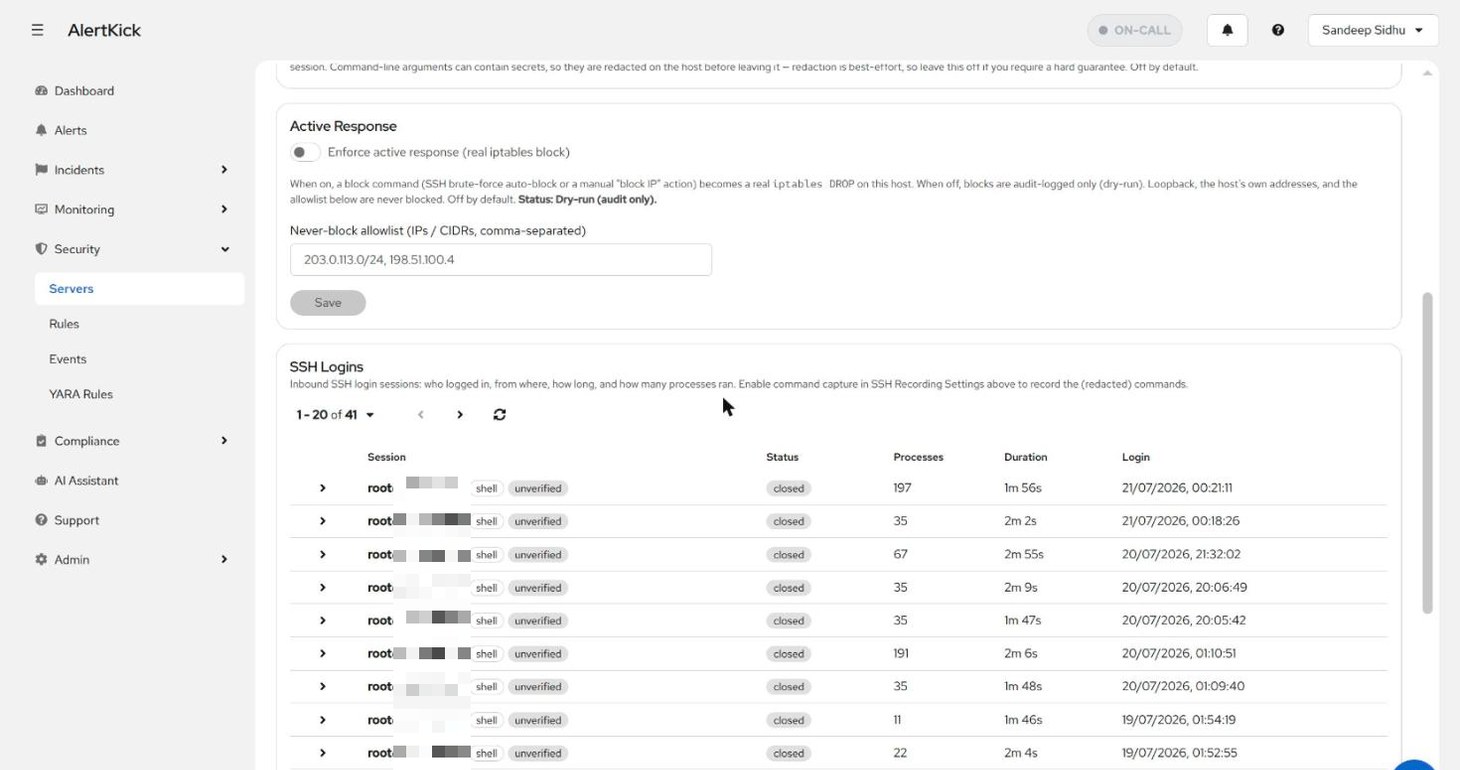
The chips carry the source-IP verdict: trusted (on the allowlist), untrusted (not on it - a critical alert fired at connect time), or unverified (no allowlist configured, nothing to judge against).
Automatic brute-force blocking
Security -> Rules -> Response configures what happens when the SSH brute-force detection fires - repeated failed logins, or a source on a threat feed:
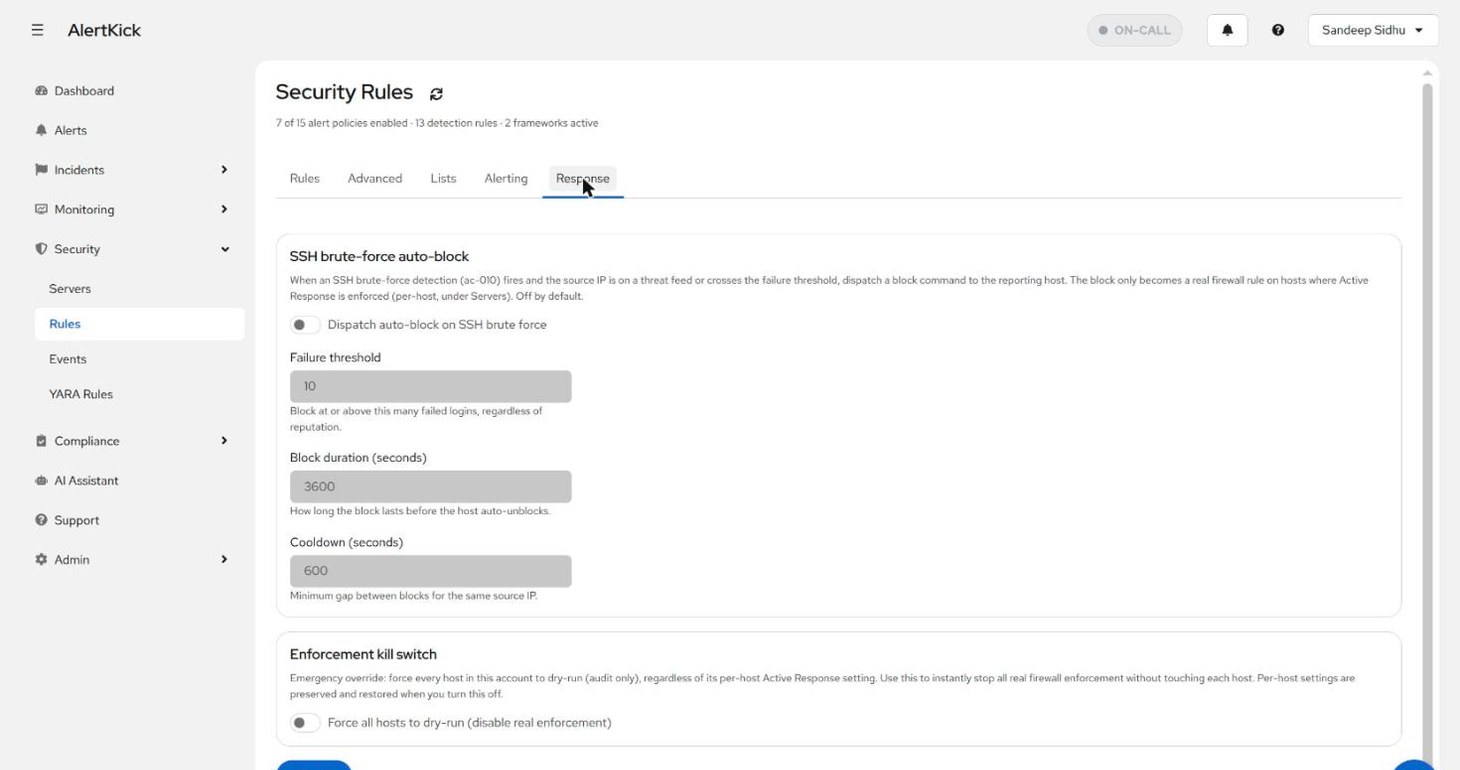
The design assumes you do not fully trust an automatic firewall rule on day one, and it should earn that trust in stages:
- Dry-run by default. A block command is audit-logged on every
host but only becomes a real
iptablesDROP on hosts where Active Response is explicitly enforced (the per-server toggle above). Run in dry-run for a week and read what it would have blocked. - Never-block allowlist. Loopback, the host’s own addresses, and your listed IPs/CIDRs are never blocked - so a misfiring rule cannot lock you out of your own bastion.
- Bounded blocks. Failure threshold, block duration, and a cooldown between blocks for the same source keep the response proportionate and self-expiring.
- Kill switch. One account-wide toggle forces every host back to dry-run without touching per-host settings - the instant-off if enforcement ever misbehaves.
When a rule fires
SSH rules feed the same pipeline as everything else: an alert opens under Alerts (deduplicated per server and rule), the AI verdict explains why the login looked suspicious - unknown source, outside business hours, no correlated deployment - and the escalation policy takes it from there. The alerts guide walks that lifecycle, and escalation policies covers the routing.
Try it on your own infrastructure
Everything in this guide works on the free plan or the 30-day money-back paid tiers - uptime monitors, heartbeats, escalations and on-call, plus the agent for metrics and eBPF security. Setup takes minutes, not sprints.