Escalation policies
Define who gets paged first, who gets escalated to, and how long the system waits before climbing the chain. Built so no alert ever sits unattended.
Updated
An escalation policy answers a single question: if nobody acknowledges this alert, what happens next?
Every alert that fires in AlertKick is matched to a policy. The policy decides whether to ping a person, a team, or a webhook, and how long to wait before climbing one rung higher. Configure it once, and it runs without you thinking about it.
The shape of a policy
A policy has two parts:
- Default notifications - sent immediately when the alert triggers, is acknowledged, or resolves. This is the “first knock” - usually a Slack message or an email to the on-call.
- Escalation levels - an ordered list of further actions to take if the
alert isn’t acknowledged within a timeout. Each level has:
escalation_timeout- minutes to wait before this level firesaction_type- what to do (notify a user, notify a roster, hit a webhook, call a phone number, send an SMS)entity- the target (user UUID, roster UUID, webhook URL, phone number…)
If repeat is enabled, the chain restarts after the last level instead of
giving up. repeat_max caps how many times the loop runs.
Building a policy in the UI
Head to Admin, then Escalations and click Add. The editor renders the policy as a timeline from Start to Stop, so what you see is the exact order things will fire in.
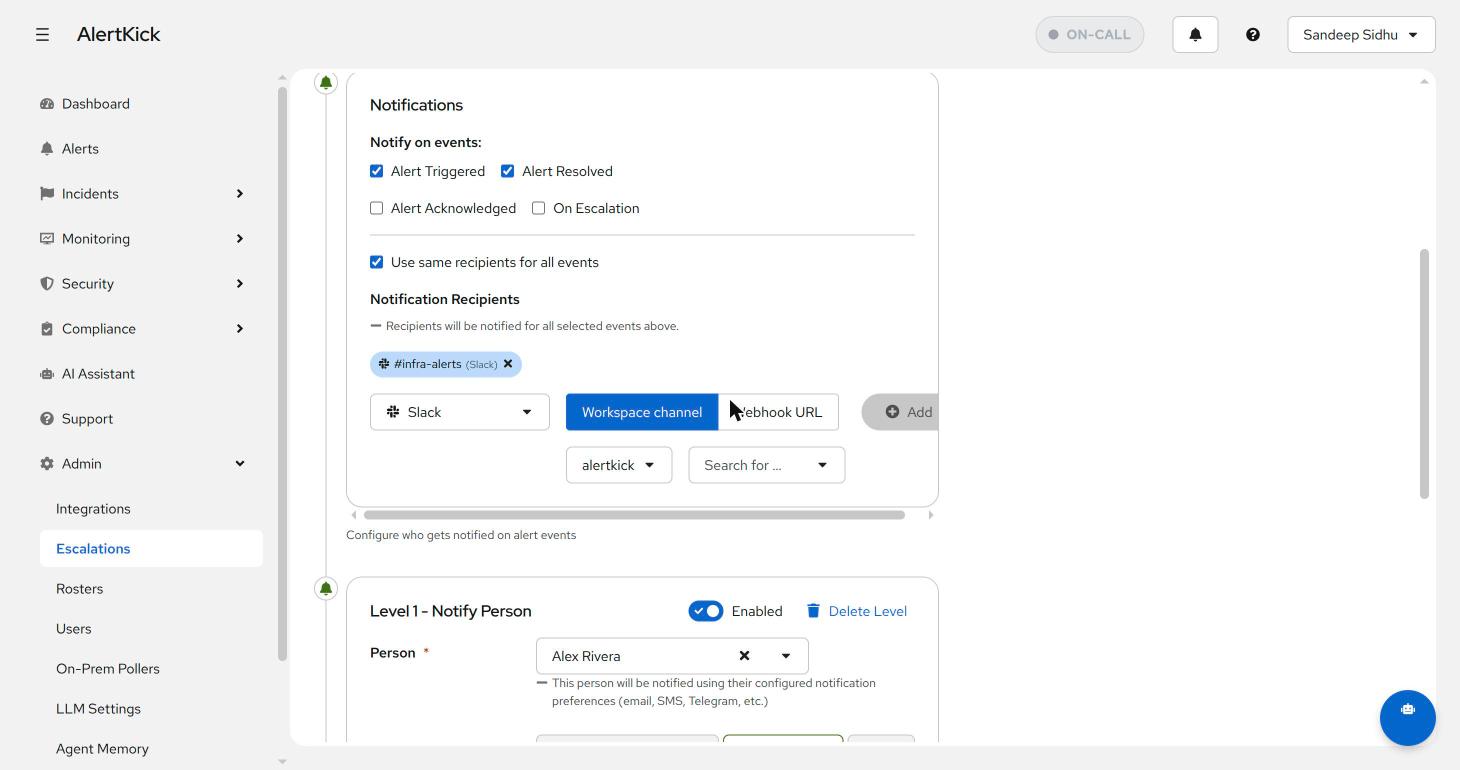
The first block is Notifications - the immediate “first knock”. Tick which alert events send it (triggered, acknowledged, resolved, on escalation), then add recipients:
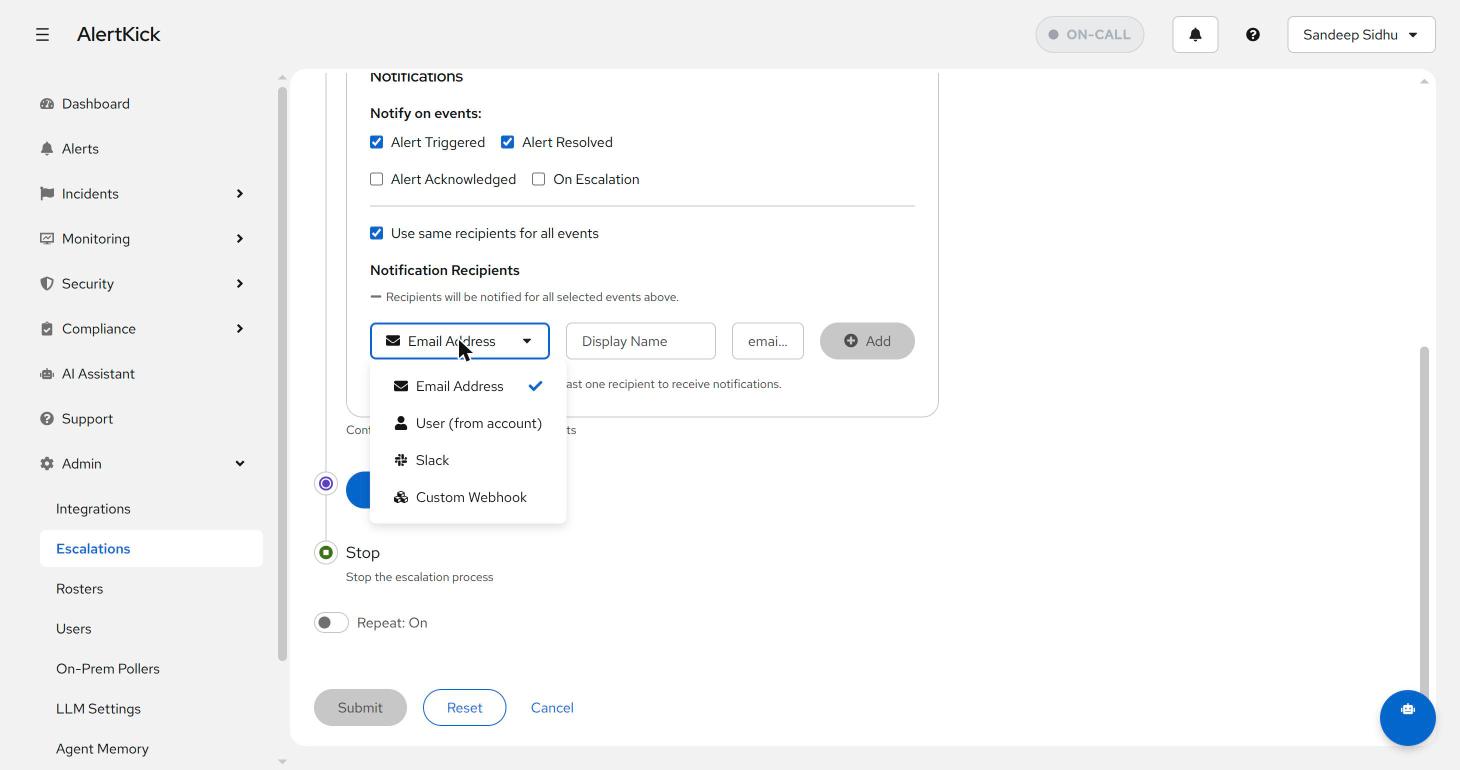
Recipients come in four flavours - a raw email address, a user from your account, a Slack workspace channel (or webhook URL), or a custom webhook for anything else:
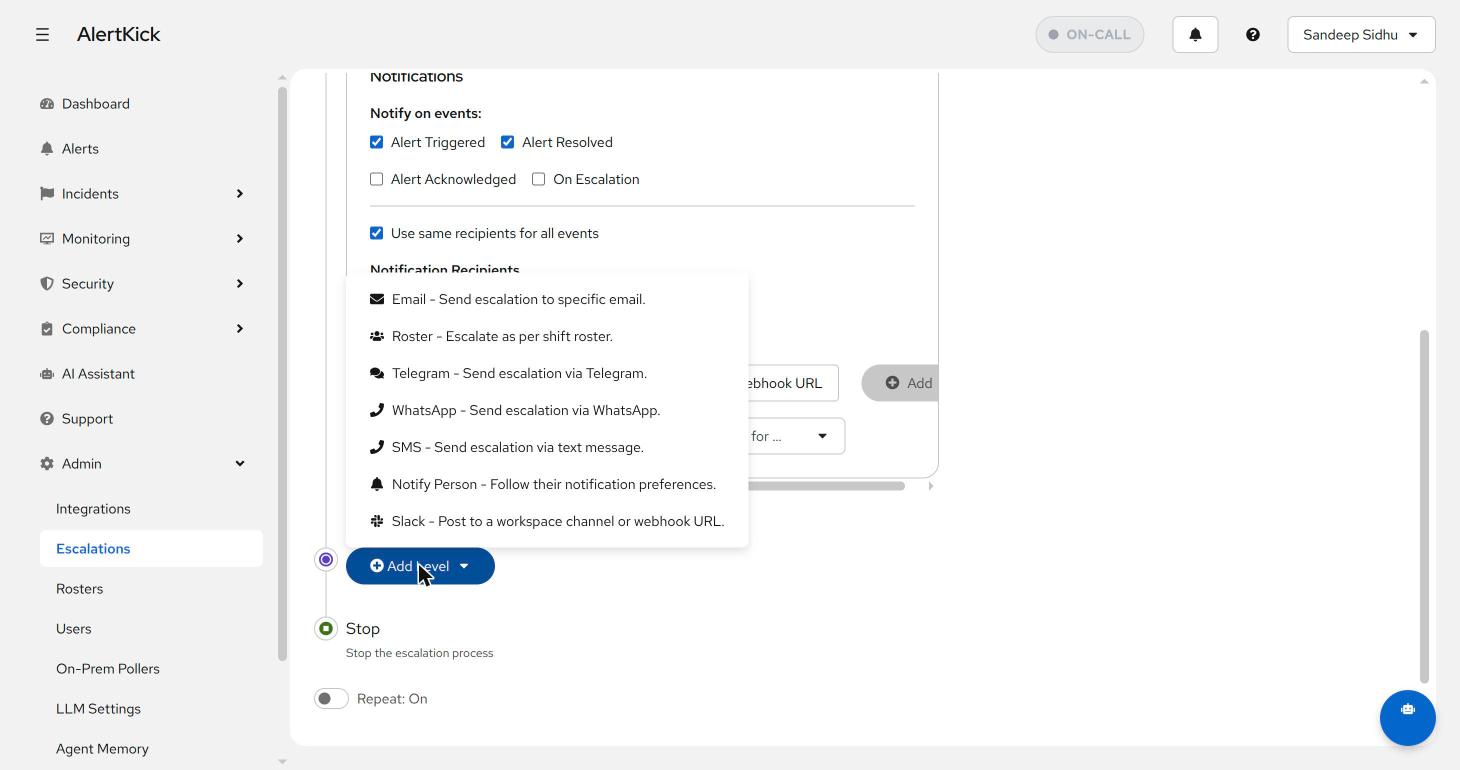
Below the notifications block, Add Level builds the chain. Every channel is available at every level, so the classic “Slack first, then a person, then a phone” ladder is just three clicks:
Each level gets its own target and an “escalate to next level after N minutes” timeout, and can be toggled on and off without deleting it - handy for muting the phone-call level during planned maintenance:
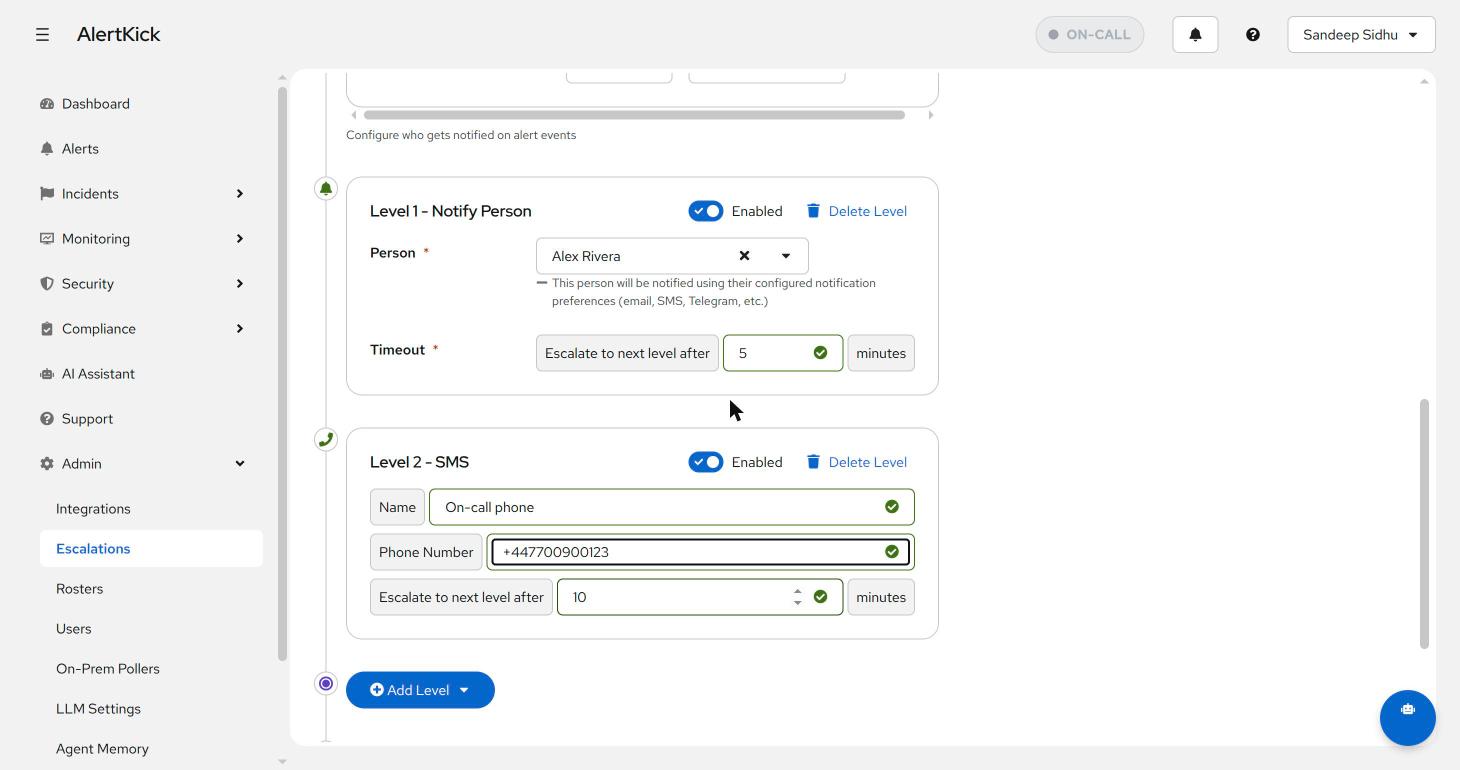
The Notify Person level type is worth a special mention: instead of you choosing the channel, it follows that person’s own notification preferences (email, SMS, Telegram - whatever they’ve configured on their profile). Use it when you care that Alex finds out, not how.
Worked example
A typical “production database” policy:
| Level | Wait | Action |
|---|---|---|
| 0 | 0 min | Notify default - #alerts-prod Slack |
| 1 | 5 min | Notify on-call DBA (current roster) |
| 2 | 15 min | SMS the on-call DBA |
| 3 | 30 min | Phone call to the on-call DBA |
| 4 | 45 min | Escalate to the engineering manager |
If nobody acknowledges by minute 45 and repeat is on, the chain restarts.
In practice it almost never gets past level 2 - but the levels exist so it
can’t slip through.
Picking timeouts
Some rough starting points:
- Critical, customer-facing - start at 5 minutes between levels. A half-hour gap to the manager.
- Internal infra - 10-15 minutes between levels.
- Best-effort / observability - 30+ minutes, or skip phone/SMS levels entirely.
Tighter is not always better. If the on-call is being paged for things that genuinely need 15 minutes to investigate, escalating after 5 just wakes the next person and they’ll be looking at the same screen.
Sending to a roster vs an individual
action_type: notify_user targets one person - useful for tier-2 specialists
(“escalate to the database lead, regardless of who’s on-call”). action_type: notify_roster targets the current on-call from a roster, so the policy
keeps working as people rotate in and out. Most levels should use rosters;
see roster management for how rotations work.
Default notifications: trigger, acknowledge, resolve
Default notifications send on three events:
- Trigger - alert fires
- Acknowledge - someone hits the Ack button
- Resolve - the underlying check goes back to green
A common setup is to send all three to a shared #alerts channel so the team
sees the full lifecycle without the on-call having to status-update manually.
Linking a policy to an alert
Policies don’t bind to alerts directly - they bind to alert services (groupings like “production-db”, “staging-web”, “compliance-checks”). Each check on a host is assigned to one alert service, and the alert service points at one policy.
This indirection means you can change the on-call schedule for “production” in one place rather than editing every alert.
Common mistakes
- Too many levels too fast - if level 1 fires after 1 minute, you’ll wake the second person before the first has even seen the page.
- Pointing every level at the same person - the chain exists so that if the first person can’t respond, the next one does. Personal-only chains defeat the purpose.
- No
repeaton critical policies - if the on-call misses the chain because they were genuinely asleep, an alert that’s been firing for 30 minutes shouldn’t go quiet. Turn on repeat for anything customer-facing.
Try it on your own infrastructure
Everything in this guide works on the free plan or the 30-day money-back paid tiers - uptime monitors, heartbeats, escalations and on-call, plus the agent for metrics and eBPF security. Setup takes minutes, not sprints.