SSH lockdown and maintenance windows
Deny SSH by default and open it only when you mean to - timed unlocks, recurring maintenance windows, a permanent bypass allowlist for your bastion, and a heartbeat failsafe so a lockdown can never strand you.
Updated
Monitoring SSH tells you who did log in. Lockdown flips the question: outside the windows you define, nobody connects at all. Most servers need interactive SSH for a few hours a month - patch cycles, incident response - and every other hour of an open port 22 is pure attack surface. AlertKick’s agent enforces “locked by default, open on purpose” per host.
Where it lives
Each server’s Maintenance tab controls its lockdown, and the Security -> Servers list shows the per-host state at a glance - a red Locked or green Unlocked chip in the SSH column (hosts whose agent does not run the feature show a neutral dash):
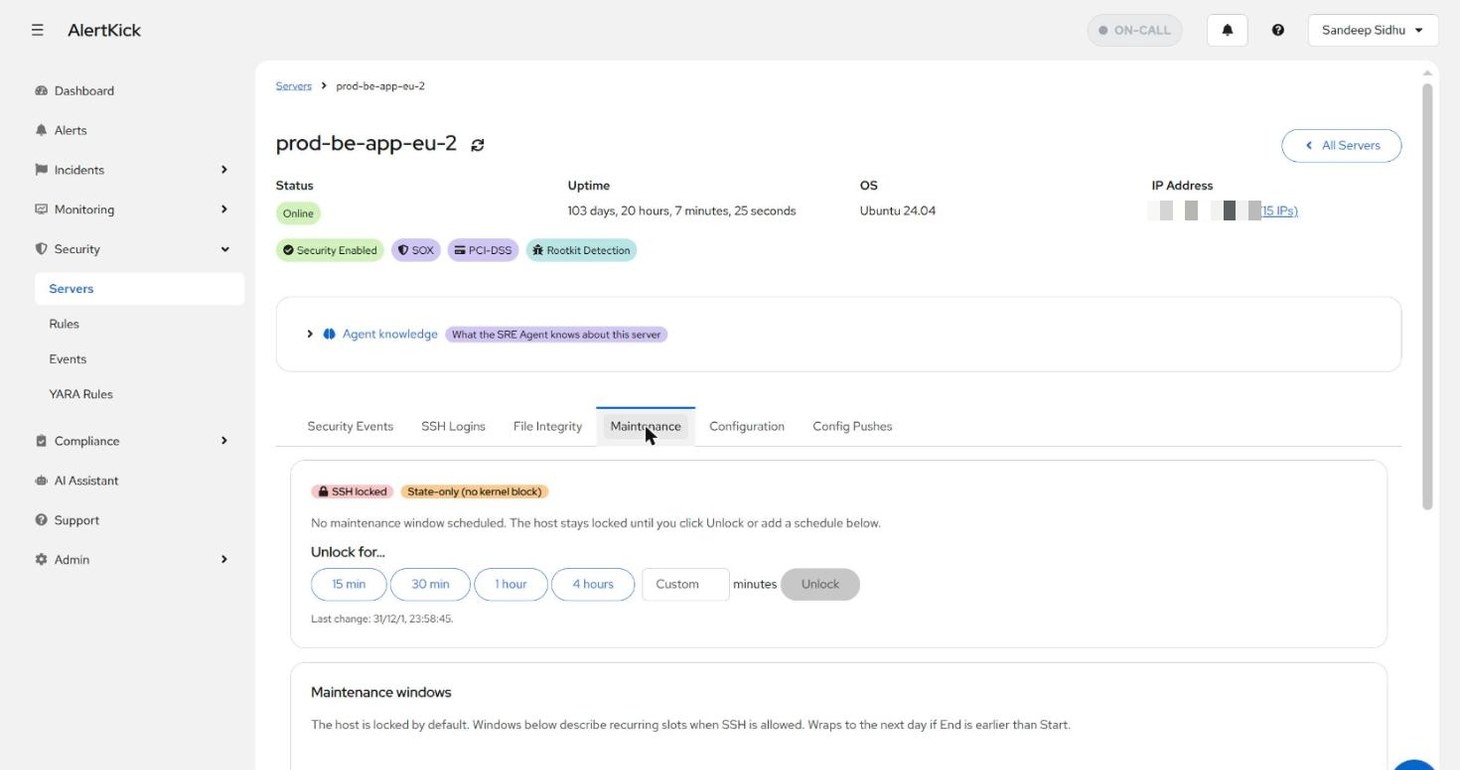
The badge next to the lock state reports the enforcement mechanism the agent actually installed on that host. State-only (no kernel block) means the lock is currently tracked but not enforced by a firewall rule
- you still get the visibility, and the badge is your cue to investigate rather than assume.
Timed unlocks
Need to get on the box now? Pick a preset - 15 minutes to 4 hours, or a custom duration - and Unlock. The host relocks itself when the timer expires, so access never outlives the reason for it. No remembering to close the door afterwards; the door closes itself.
Maintenance windows
For recurring access - a weekly patch cycle, an on-call handoff - define windows instead of unlocking by hand:
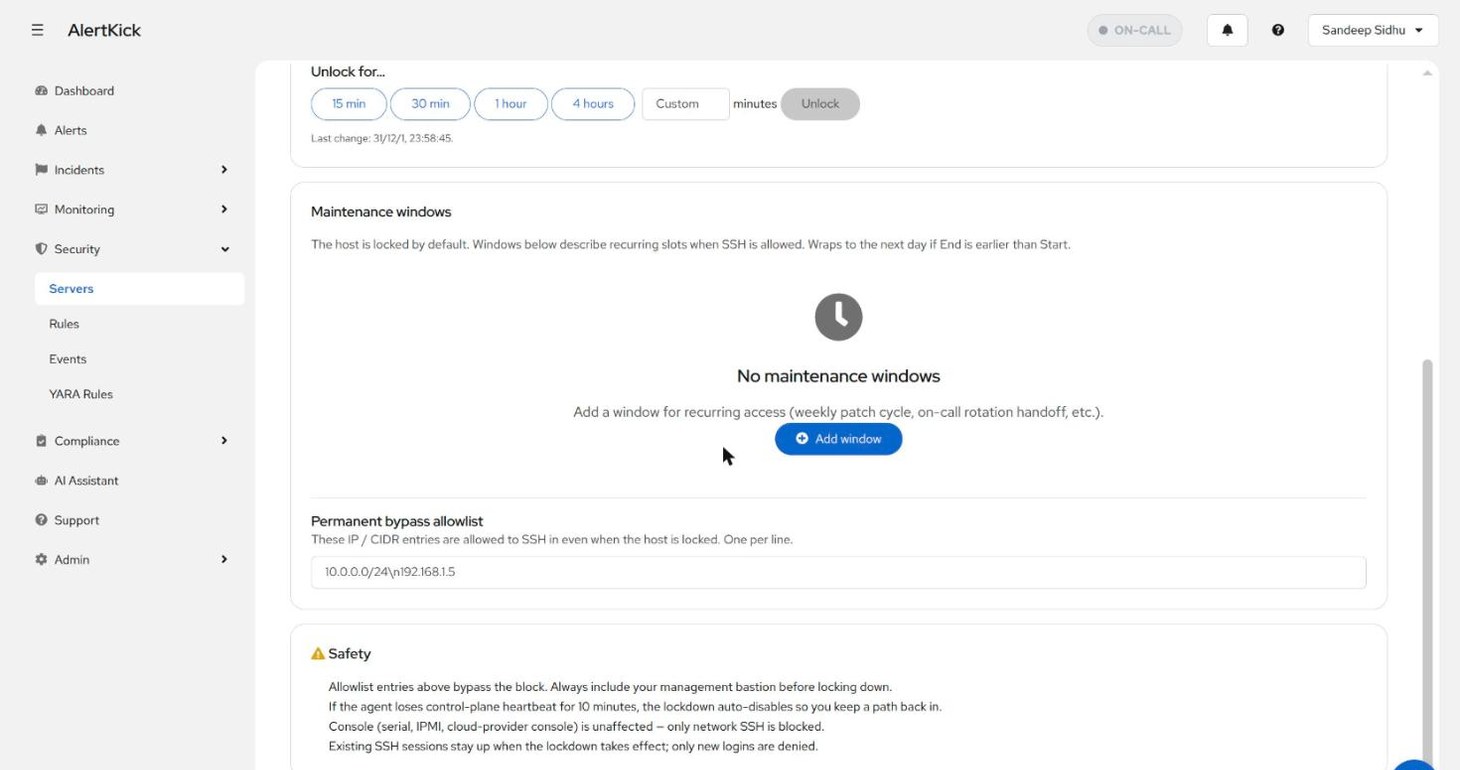
The host is locked whenever no window is active. Windows are recurring slots (a window whose end is earlier than its start wraps past midnight), so “Sundays 02:00-06:00” is one rule, not a weekly chore.
The permanent bypass allowlist
Some sources must always get in: your management bastion, the CI runner that deploys. The Permanent bypass allowlist takes IP/CIDR entries that are allowed to SSH even while the host is locked.
Add your bastion before locking down - the safety card on the page says the same thing, because it is the one mistake that hurts.
Designed to never strand you
A remote-lockout feature has to be paranoid about its own failure modes, and this one is, in four ways:
- Heartbeat failsafe. If the agent loses control-plane heartbeat for 10 minutes, the lockdown auto-disables. A dead network path, a broken endpoint, a wedged agent - all degrade to “SSH open”, never to “locked forever with no way to say unlock”.
- Console access is unaffected. Only network SSH is blocked - serial, IPMI, and cloud-provider consoles keep working.
- Existing sessions survive. Locking denies new logins; a session that is already established stays up. Locking down while logged in does not saw off the branch you sit on.
- The allowlist always bypasses. Whatever else the state says, entries on the bypass list connect.
Lockdown and monitoring together
The two features compose: lockdown shrinks when SSH is possible, SSH monitoring records and judges every login that does happen - including logins during a legitimate window, which still get session records, trust verdicts, and (if enabled) command capture. An unlock is an operational event, not a blind spot.
Try it on your own infrastructure
Everything in this guide works on the free plan or the 30-day money-back paid tiers - uptime monitors, heartbeats, escalations and on-call, plus the agent for metrics and eBPF security. Setup takes minutes, not sprints.