Heartbeat monitoring: the single line of script that saves your backups
The most under-used monitoring pattern in small-team infrastructure is the heartbeat - a scheduled job that pings a URL on success, and a monitor that alerts when the ping stops arriving. Add one line to your scripts, never miss a silent failure again.

The AlertKick team
Every engineering team, given enough time, discovers that one of their cron jobs has quietly stopped running. It’s been broken for weeks. Nothing alerted on it, because “alerting on a cron job” isn’t a thing most monitoring setups do out of the box - they watch servers, not scheduled work.
Depending on what the job was, the discovery ranges from “mildly funny Slack message” to “we have no usable backup from the last three weeks”. Both endings happen to real teams all the time. The second one is what heartbeats exist to prevent.
The pattern in one line
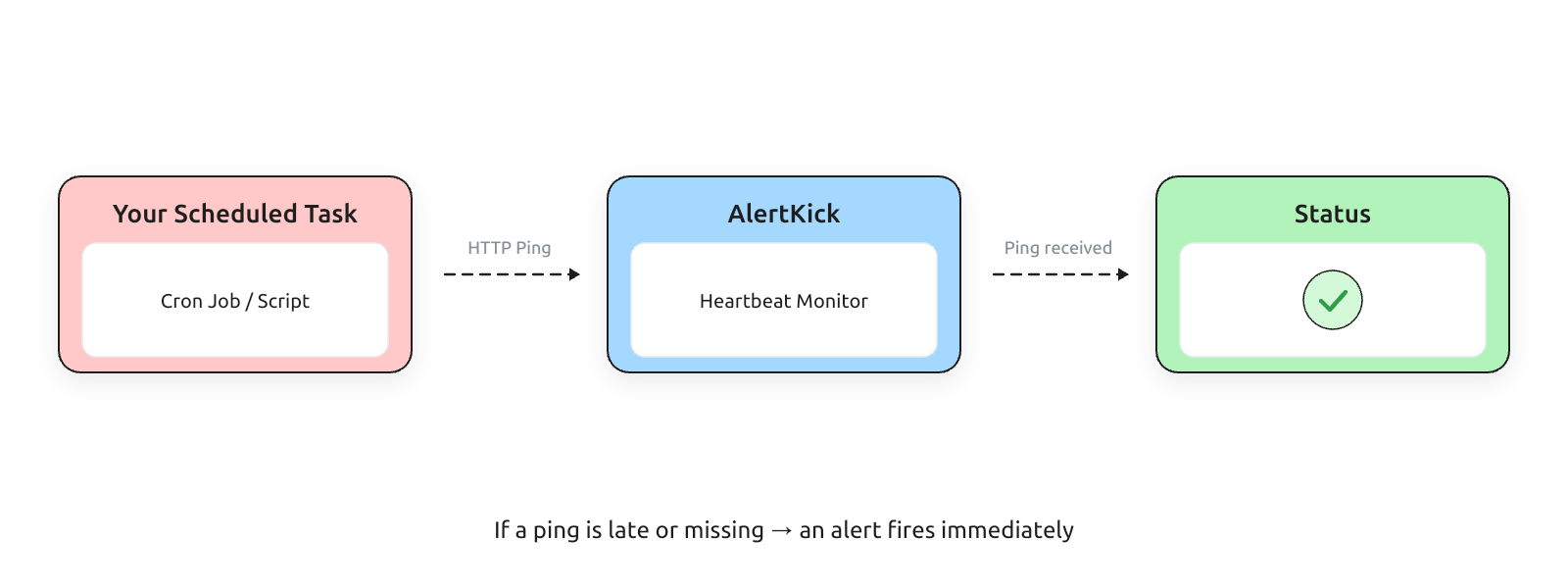
The entire concept is simple enough that it’s almost embarrassing to write a post about it. A heartbeat is a scheduled job that pings a known URL when it succeeds. A heartbeat monitor is a server that expects that ping on a schedule, and alerts when the ping doesn’t arrive.
That’s the whole mechanism. Adding it to an existing script is one line:
#!/bin/bash
# nightly-backup.sh
pg_dump mydb > /backups/db-$(date +%Y%m%d).sql.gz

if [ $? -eq 0 ]; then
  curl -fsS https://hb.alertkick.com/ping/nightly-backup > /dev/null
fi
The backup runs. If it finishes successfully, the script pings. If it fails - for any reason, at any point - the ping doesn’t happen, the monitor notices the absence within its grace window, and you get paged.
This is one of the highest-leverage things you can add to your infrastructure. It costs a line of script per job. It pays you back the first time a scheduled task silently breaks.
Why regular monitoring misses this
The thing that trips people up is that monitoring-that-watches-servers doesn’t tell you anything about scheduled work.
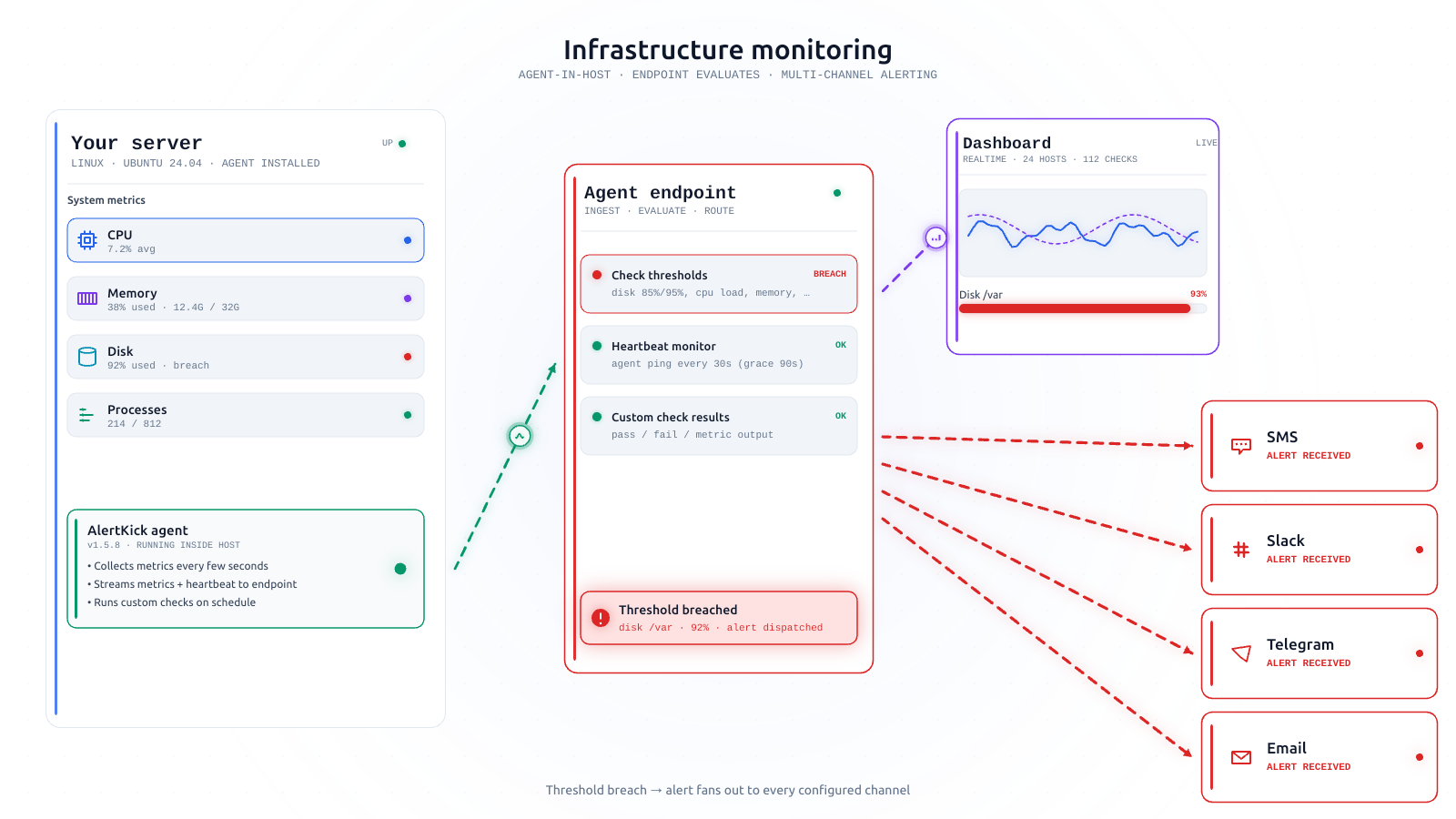
Your infrastructure monitoring knows if the host is up. It knows if disk is full, if memory is pressured, if the systemd timer exists. What it can’t know - because there’s no signal for it - is whether the job that was supposed to run at 3 AM actually ran, actually succeeded, and actually produced the output it was meant to produce.
A cron job can fail in many fascinating ways without triggering any server-level alert:
- The crontab got edited and the entry is silently malformed.
- The script ran, but a dependency it calls is broken.
- The script started, hung on a database lock, and was still running four hours later.
- The user the job runs as had their shell set to
/bin/falseduring a Linux hardening pass. - The machine was rebooted during the scheduled window, and the timer was never re-armed because the service was never re-enabled.
- The script runs inside a container, and the container didn’t restart after the last host reboot.
- The job was commented out six months ago “just to test” and nobody uncommented it.
- The timer fires, but the target path it writes to has been moved, and the failure goes to stderr which nobody reads.
Every one of those has broken a real team’s scheduled work. A heartbeat catches all of them, because a heartbeat cares about the successful ping, not any of the dozen failure modes underneath.
What AlertKick’s heartbeats do
The monitor itself is straightforward, but the opinionated defaults matter.
Schedule is expressed the way you already think about it. Cron expression, interval, or absolute window. You paste the same cron line you already have in your crontab. No translation.
Grace periods are sensible. Most jobs have natural variance in their duration. A “daily backup” that usually finishes in 20 minutes but sometimes takes 40 shouldn’t alert at 21 minutes. We apply a default grace period that scales with the interval - longer window for longer jobs - and you can tune it per heartbeat if you have a reason.
We alert on late and slow. A job that finishes eventually but took three times longer than its historical baseline is telling you something. That’s worth knowing before the day the three-times-longer becomes “never finished”. Duration tracking is on by default for every heartbeat.
Alerting uses the same escalation policy as everything else. Your backup heartbeat failing at 3 AM routes through the same on-call rotation as a disk-full alert. It’s one on-call, one policy, one dashboard. (More on the escalation defaults here.)
Heartbeats live in the same dashboard as your hosts. On a Monday morning, the “is everything OK” glance includes scheduled work, not just servers.
Heartbeats beyond cron
The pattern works for more than nightly cron. Once you have one heartbeat, the next six are obvious:
Backups. Every one. Database, configuration, object-storage replicas, anything that’s scheduled.
CI/CD scheduled jobs. GitHub Actions schedules that get silently disabled after 60 days of inactivity are a classic failure mode. A heartbeat catches that on day 61 instead of on day 147 when you need the output.
Data pipelines. The ETL that’s supposed to run overnight. The report that’s supposed to land in an inbox by 8 AM. Ping at the end of a successful run.
ML training jobs. Long-running training jobs that silently die after six hours of work. The heartbeat fires at each epoch checkpoint - miss two checkpoints and you know it’s gone.
Background worker queues. Ping from the worker loop every N seconds; if the pings stop, the queue is wedged.
Embedded and edge devices. Anything you can’t easily SSH into. A heartbeat from an IoT device is often the only way to know whether it’s still in the field.
Internal “heartbeat” services. A service that’s supposed to be idle but responsive. Ping from its health-check handler every few minutes, and you’ll catch silent deadlocks.
What a good heartbeat looks like
A few opinions about the discipline:
Ping on success, not on start. A script that pings at the start of the job tells you it started - which is not what you care about. Ping at the end, inside the success branch. The absence of a ping is what matters.
One heartbeat per logical job, not per step. If your nightly job has five steps, ping at the end of the last one. More heartbeats means more failure surfaces for the heartbeat itself.
Use the exit code. if [ $? -eq 0 ]; then curl .... Don’t ping if any step failed. The whole mechanism depends on silent failure being a no-ping.
Every heartbeat has an owner in the dashboard. When a heartbeat fires, the first question is “whose is it”. Tag it. Put a one-line description of what the job does. Your future self, three years from now, will have forgotten all of this.
Setup takes about two minutes
Log into AlertKick, create a heartbeat with a cron expression, copy the generated URL, paste the curl line into your script. That’s the setup.
if [ $? -eq 0 ]; then
  curl -fsS https://hb.alertkick.com/ping/<your-id> > /dev/null
fi
The next time the job runs successfully, you’ll see it in the dashboard. The first time it doesn’t, the alert will route through your on-call rotation.
Feature page for heartbeats. Get started - heartbeats are included on every plan, so you can have nightly-backup coverage from day one.
One last thing before you start: write down every scheduled job you have, before you add heartbeats to any of them. Every team that does this audit discovers at least one job nobody remembers the owner of. That job is, statistically, an important one.