The escalation levels AlertKick ships by default
On-call escalation policies don't need to be complicated. AlertKick ships a small set of sensible defaults - three levels, one rotation, one set of quiet hours. Here's what each level is for and why that's enough.

The AlertKick team
Every on-call tool comes with a rich escalation engine. You can build five-stage policies with conditional branches, time-of-day overrides, per-service routing trees, and a dozen notification channels. It’s impressive. It’s also mostly unnecessary for a team of fewer than about fifty engineers.
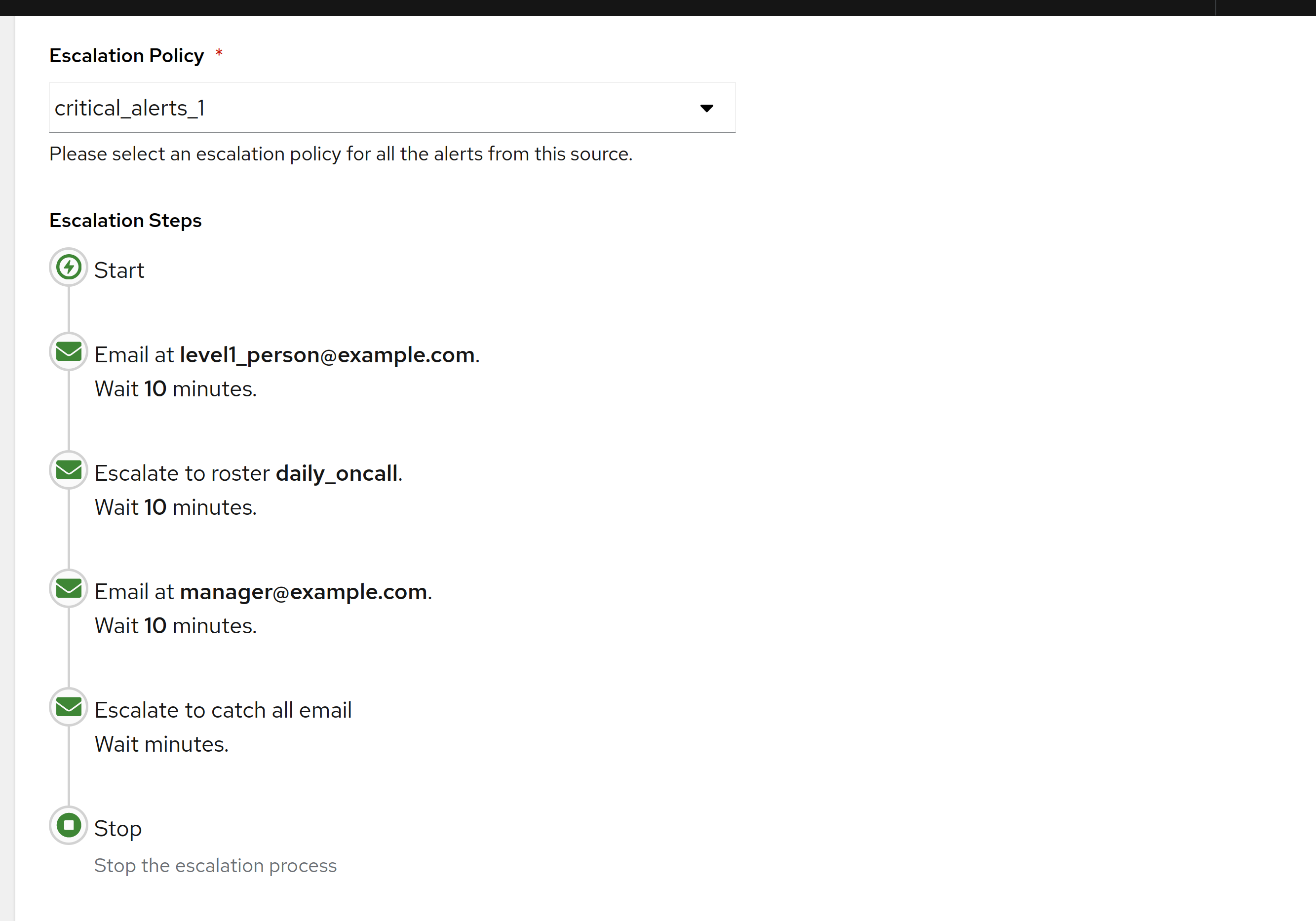
The escalation policy you actually want, for most real-world on-call rotations, is simple. Three steps, one rotation, one set of quiet hours, one fallback. AlertKick ships exactly that as the default, and it covers probably 95% of the cases small and mid-sized teams will ever hit.
Here’s what the defaults do, and why they’re the defaults.
Level 1 - the primary on-call engineer
This is the person on rotation. They get the first notification, through whichever channels they’ve set as “page me now” - typically mobile push and a phone call. The goal is to get them aware of the incident within a minute.
A few opinions about this level:
- Mobile push is the primary channel. It gets attention quickly, is silenceable during quiet hours by default, and doesn’t require the engineer to have their laptop open. Email is not a paging channel. SMS is a fallback, not primary.
- A phone call follows if mobile push isn’t acknowledged within a minute. Phones ring louder than push notifications and bypass most do-not-disturb modes. They’re the thing that wakes a person at 3 AM when it matters.
- Slack is a supplementary channel, not a paging one. The Slack ping goes out at the same time, so the team sees what’s happening, but nobody’s on-call rotation depends on Slack’s notification delivery. It’s not reliable enough for that.
Level 1 expects a human to acknowledge within five minutes. If they don’t, we escalate.
Level 2 - the secondary
The secondary is the backup. Every rotation has one. Their role at Level 2 is to notice that the primary didn’t respond, and to either take the page or make sure the primary does.
At Level 2:
- The primary gets re-notified (louder, again).
- The secondary gets paged through the same channels the primary did.
- The on-call Slack channel gets an “escalated” message so the wider team is aware.
The secondary has another five minutes to acknowledge before we escalate again.
The reason this level exists and is not optional: people occasionally miss pages. Their phone dies, they’re on the Tube, they slept through the alarm, the child woke them up two minutes before the page arrived and their phone is in a different room. The secondary is there because the primary is a person.
Level 3 - the team channel
If neither the primary nor the secondary acknowledges within ten minutes, we broadcast to the whole on-call channel. Everyone who could potentially take the page now gets notified. The page escalates until somebody picks it up.
At this level we also send a notification to whoever is designated as the escalation manager - typically a senior engineer or team lead - with a clear message that the standard rotation is not responding.
Three levels is the whole policy by default. We don’t add a fourth, a fifth, or a conditional branch. If ten minutes of paging hasn’t reached somebody, the bottleneck isn’t more escalation rules - it’s the rotation itself, and that’s a conversation for Monday morning, not another policy level.
Quiet hours and severity
Escalation also interacts with severity - what’s allowed to wake somebody at 3 AM, and what waits until morning.
AlertKick ships with three severity tiers for alerts:
- Critical - the thing is genuinely down or about to be. Pages through the full escalation chain above, any time, any day.
- High - something is wrong and needs attention, but can wait for business hours. Pages during working hours, notifies (without escalation) outside of them.
- Info - background awareness only. Goes to a feed, never pages.
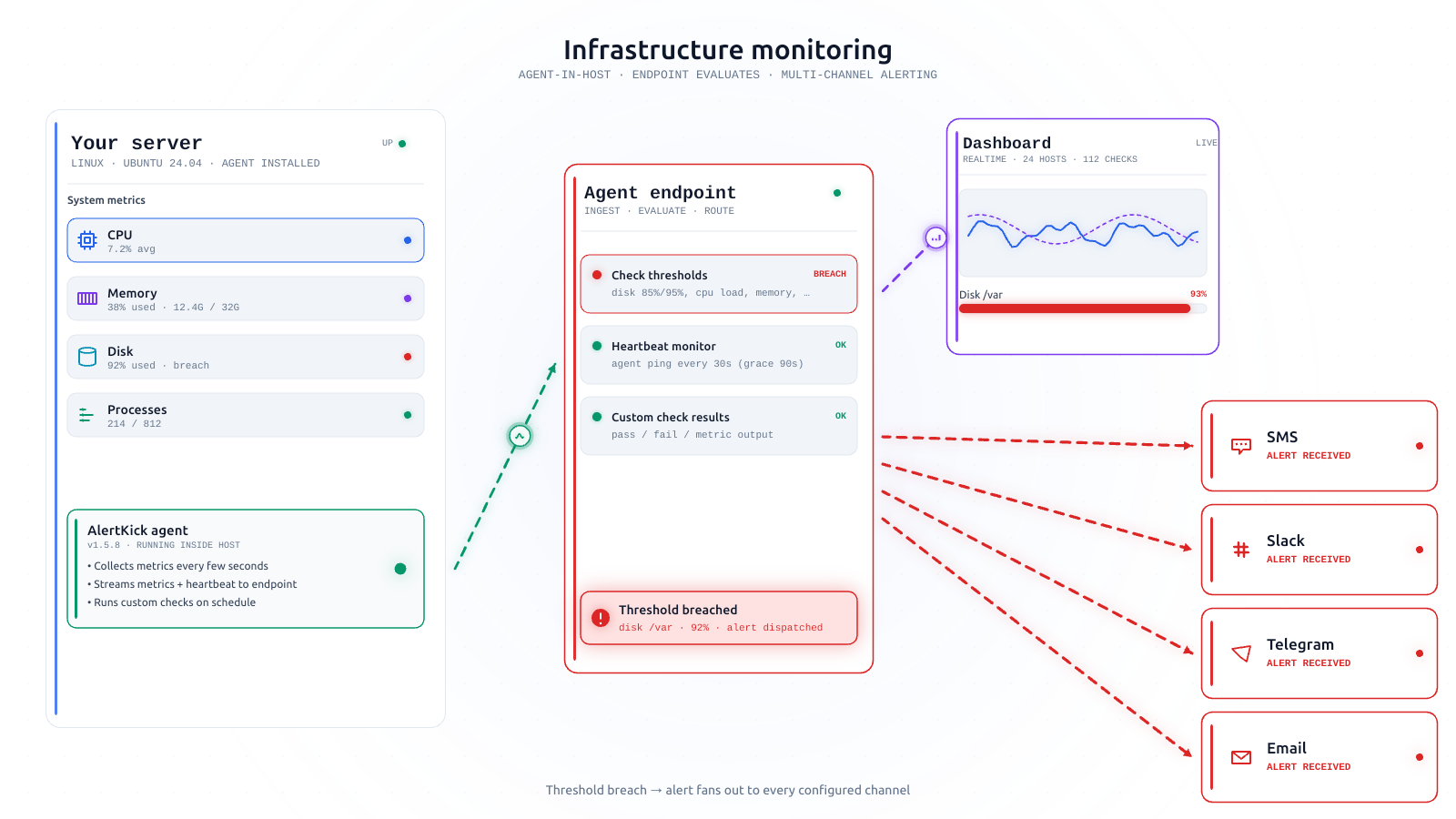
You can override these per check and per host, but the default mapping is opinionated. Disk above 85% is High. Disk above 95% is Critical. Systemd unit down for a critical service is Critical. Systemd unit down for a non-critical service is High. OOM kill on a critical host is Critical. Most things are High.
The opinion here is that most incidents should be handled during business hours. The ones that wake someone up are the ones where the product is currently broken for users. If you find yourself adjusting that line, the conversation is about what’s actually critical in your environment - which is a worthwhile conversation, not a configuration task.
What we don’t ship by default
It’s worth being explicit about what we chose to leave out.
- Per-service routing trees. If you have a monolith, you have one team, and you don’t need routing. If you have microservices, services are tagged with their owner and we route to that owner’s rotation - done, no tree required. If your environment is more complex than that, you probably already have a tool more complex than AlertKick, and we’re not the right fit.
- Follow-the-sun rotations. We support them (they’re just a schedule), but we don’t ship them by default, because most teams using a product at our price point are in one or two time zones.
- Conditional escalation based on alert payload. Tempting. Usually a trap. The alert that needs to escalate “only if X” is an alert that needs a better threshold, not conditional escalation.
- Five-level policies. Three is enough. If three levels don’t catch the page, you have an on-call culture problem, not a tooling problem.
Why this shape is enough
The architecture of a small-team on-call rotation looks like this: somebody is on, somebody is backup, and the team is the ultimate fallback. Everything else is formalising that architecture in a way that survives holidays, sick days, and the occasional dead phone.
Three escalation levels give you exactly that. Primary catches 95% of pages, secondary catches 4%, team catches the last 1%. The 0.01% that escalates past team is the rare case where the manager needs to wake up the team.
Teams routinely build eight-level escalation policies with conditional logic and time-of-day overrides, and then end up with the same outcome: one person catches the page, secondary covers when they can’t, team covers when nobody else does. The extra levels were in the config file but never actually fired in production.
Ship the version that reflects what actually happens. That’s what the defaults are.
What you can adjust
Per the general AlertKick pattern, the knobs are few and deliberate:
- Who’s in the rotation, and the shape of the rotation (weekly, daily, custom).
- The time between levels - five minutes is the default; you can go shorter for stricter environments or longer for less-critical ones.
- Quiet hours - the window in which non-Critical alerts won’t wake anyone up.
- Severity overrides - per check, per host, if you disagree with one of our classifications.
What you cannot do is build a twenty-branch routing tree. We don’t offer that mode. If you need it, we’re not the right product for your situation, and that’s fine.
Try it
Install the agent, add your team to a rotation, and you have a working on-call setup in about five minutes. The escalation policy above is on automatically. The first page you receive will route the way this post describes.
On-call feature page. Get started.
The related post on heartbeats is going up next; the one after that is about what makes a page genuinely useful (and what makes one noise).