Falco rules explained: syntax, custom rules, and tuning out the noise
How Falco rules actually work - conditions, macros, lists, and exceptions - with worked examples: writing a custom rule from scratch, overriding a stock rule without forking it, and a practical week-one tuning workflow that cuts the noise without blinding you.

The AlertKick team
Installing Falco takes twenty minutes (the install guide covers it). Living with Falco is a rules problem: understanding what the stock rules do, silencing the ones that scream about your own automation, and writing the handful of custom rules that encode what “suspicious” means on your fleet. This post is a working tour of the rule language, in the order the problems actually arrive.
The anatomy of a rule
A Falco rule is a YAML object with five required fields:
- rule: Terminal shell in container
  desc: A shell was spawned by an interactive session in a container.
  condition: >
    spawned_process and container
    and shell_procs and proc.tty != 0
    and container_entrypoint
  output: >
    A shell was spawned in a container with an attached terminal
    (user=%user.name container=%container.name shell=%proc.name
    parent=%proc.pname cmdline=%proc.cmdline)
  priority: NOTICE
  tags: [container, shell, mitre_execution, T1059]
- condition is a boolean expression over event fields, evaluated against every captured syscall event. Fields come in families:
evt.*(the syscall itself),proc.*(the process tree),fd.*(files and sockets),user.*, andcontainer.*. - output is the alert template. Every
%fieldyou include here is a gift to whoever triages the alert at the other end - a rule that fires withoutproc.cmdlineandproc.pnamegenerates a ticket that cannot be closed without SSHing in. - priority ranges from
EMERGENCYtoDEBUG. It interacts with the engine-widepriority:floor infalco.yaml- rules below the floor never fire. - tags are free-form, but the stock convention of MITRE ATT&CK technique IDs (
T1059) is worth keeping: it turns “rule fired” into “attacker technique observed”, which is the difference between a log line and a triage decision.
Two building blocks keep conditions readable. Macros are named condition fragments (spawned_process above expands to roughly evt.type in (execve, execveat) and evt.dir = <). Lists are named value sets (shell_binaries is [ash, bash, csh, ksh, sh, tcsh, zsh, dash]). The stock rule set is a deep tower of both - when a stock rule misbehaves, the actual logic you need to read is usually two macros down.
Reading a condition without going mad
The field reference is large, but a small subset does nearly all the work in real rules:
| Field | Meaning | Typical use |
|---|---|---|
evt.type | syscall name | evt.type in (open, openat, openat2) |
evt.dir | > enter, < exit | almost always < (you want the result) |
proc.name / proc.pname | process / parent name | proc.pname in (cron, systemd) |
proc.cmdline | full command line | substring checks with contains |
fd.name | file or socket path | fd.name startswith /etc/ |
user.name / user.uid | credentials in play | user.uid = 0 |
container.id | host or the container ID | the container macro is container.id != host |
Operators are what you would guess (=, !=, in, contains, startswith, endswith, and/or/not, pmatch for path-prefix matching against a list). The sharp edge is that conditions run against events, not state: “process that has been running for a while suddenly opens a socket” needs fields like evt.rawtime - proc.pid.ts, and some things you might want (“this file differs from its package checksum”) are simply not expressible - Falco sees syscalls, not history.
Writing a custom rule: a worked example
Say your compliance posture cares about anyone reading the production environment file outside the app itself. The first draft:
- rule: Env file read by unexpected process
  desc: Production .env read by something other than the app runtime.
  condition: >
    open_read and fd.name = /srv/app/.env
    and not proc.name in (node, npm)
  output: >
    Env file read by unexpected process (proc=%proc.name parent=%proc.pname
    cmdline=%proc.cmdline user=%user.name)
  priority: WARNING
  tags: [filesystem, credentials, T1552.001]
Drop it in /etc/falco/falco_rules.local.yaml, validate, restart, test:
sudo falco --validate /etc/falco/falco_rules.local.yaml
sudo systemctl restart falco-modern-bpf.service
sudo -u nobody cat /srv/app/.env   # should fire
Within a day you will meet the real world: backups read that file. Editors read it during deploys. This is where most people bolt and not proc.name in (tar, rsync, vim, ...) onto the condition until it stops paging, at which point the rule is a changelog of past annoyances. The structured alternative is exceptions:
- rule: Env file read by unexpected process
  exceptions:
    - name: backup_jobs
      fields: [proc.name, proc.pname]
      comps: [=, =]
      values:
        - [tar, backup.sh]
    - name: deploy_user_edit
      fields: [proc.name, user.name]
      values:
        - [vim, deploy]
  append: true
Each exception names a reason and pins it to a field combination, so “tar, but only when run by backup.sh” is allowed while an attacker running tar interactively still fires. Six months later the name tells you why the hole exists - a not in list never does.
Overriding stock rules without forking them
The same mechanism handles the noise you inherit rather than write. The three moves, from bluntest to sharpest:
Disable outright - for rules that genuinely do not apply to you:
- rule: Outbound or inbound traffic not to authorized server process and port
  enabled: false
Append to a list or macro - when the rule is right but its allowlist doesn’t know your stack:
- list: known_sa_list
  items: [my-operator-sa]
  append: true
Add exceptions to the stock rule - the workhorse. Same syntax as above, append: true, scoped to the narrowest field combination that describes the false positive.
One warning from the trenches: overriding a macro changes every rule built on it. Redefining open_write to exclude your config-management tool feels efficient and quietly blinds a dozen rules to anything that tool’s account does. Prefer per-rule exceptions unless you truly mean “everywhere”.
The tuning loop that actually works
Tuning is not a launch task, it is a standing loop, because every deploy changes what normal looks like:
- Aggregate, don’t read.
jq -r .rule events.json | sort | uniq -c | sort -rn. The top three rules are usually 90% of the volume. - For each noisy rule, decide once: not applicable (disable), applicable but blind to your stack (list/macro append), or applicable with a specific legitimate trigger (exception, narrowly scoped, named for the reason).
- Keep a “why” comment on every override. Your local file is a security decision log; treat it like one.
- Re-run the aggregation weekly. New services, new noise. Also watch for the opposite failure: a rule that used to fire in tests and now never does may mean a macro override ate it.
- Re-test detections after tuning.
cat /etc/shadow, spawn a shell in a container,curl | shsomething harmless. Silence is only golden if the alarms still work.
Budget honestly: on a small fleet this loop is a few hours a week at the start, settling to an hour or so - forever. It is real security engineering, and it is the part of “free” runtime security that carries the salary attached.
If you want the detections without owning the loop
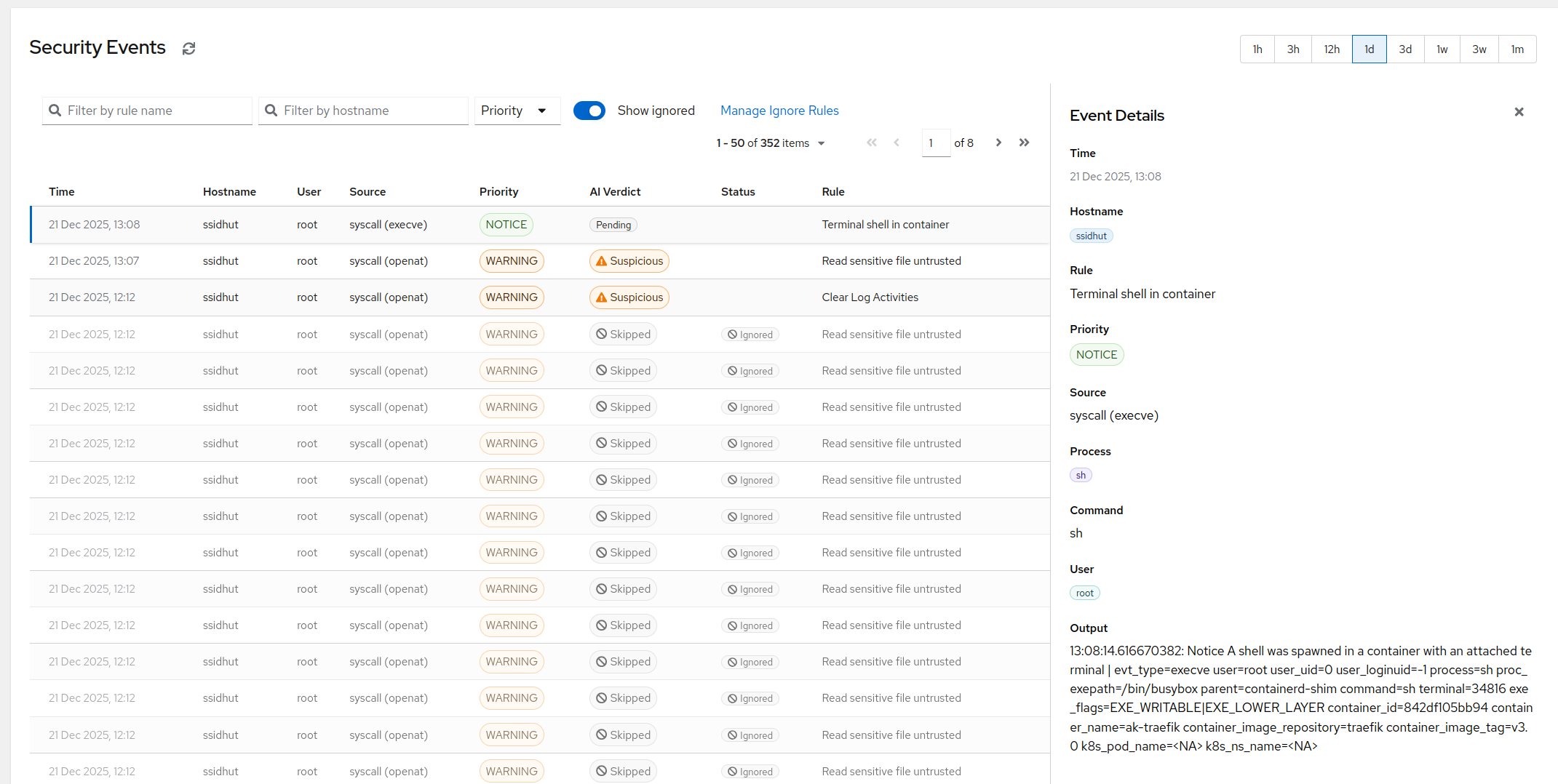
Everything above is the manual version of a pipeline that can be productised, and that is exactly what AlertKick’s eBPF security monitoring is: the same kernel-level visibility, a curated rule set mapped to MITRE ATT&CK, and - the part that replaces the tuning loop - AI triage that reads each event in context (what ran it, what it touched, what happened next) and suppresses the config-management-edited-a-file class of noise without you writing an exception for it. Ignore-rules are one click from any event instead of a YAML override, and the alert routing, dedup, and escalation are built in. Start free, point it at one host, and spend the reclaimed hours on the rules only you can write - the ones that encode your business, which no stock rule set will ever know.