Notification channels
Every way AlertKick can reach you - email, Slack, Telegram, WhatsApp, SMS, phone, and webhooks - and where each one plugs into notifications, escalation levels, and personal preferences.
Updated
AlertKick separates what happened (alerts) from how you hear about it (channels). Channels appear in three places: the immediate notification recipients on a policy, the escalation levels that fire when nobody acknowledges, and each user’s personal notification preferences. The same channels are available everywhere, so nothing forces a “Slack for some things, email for others” split unless you want one.
The channel lineup
| Channel | Best for | Notes |
|---|---|---|
| Low-urgency, paper trail | Any address - recipients don’t need an account | |
| Slack | Team-visible first knock | Workspace channels via the AlertKick app, or a webhook URL |
| Telegram | Personal push that beats email | Via the AlertKick bot |
| Personal push where Telegram isn’t used | ||
| SMS | Waking people up | Works on any phone, no app or data needed |
| Notify Person | ”Reach Alex, however Alex prefers” | Follows the person’s own preferences |
| Custom Webhook | Everything else | JSON POST to any URL - bridges, tickets, lights |
Where channels plug in
Policy notifications. The first block of every escalation policy sends to a recipient list the moment an alert triggers, acknowledges, or resolves. Recipient types cover the whole lineup:
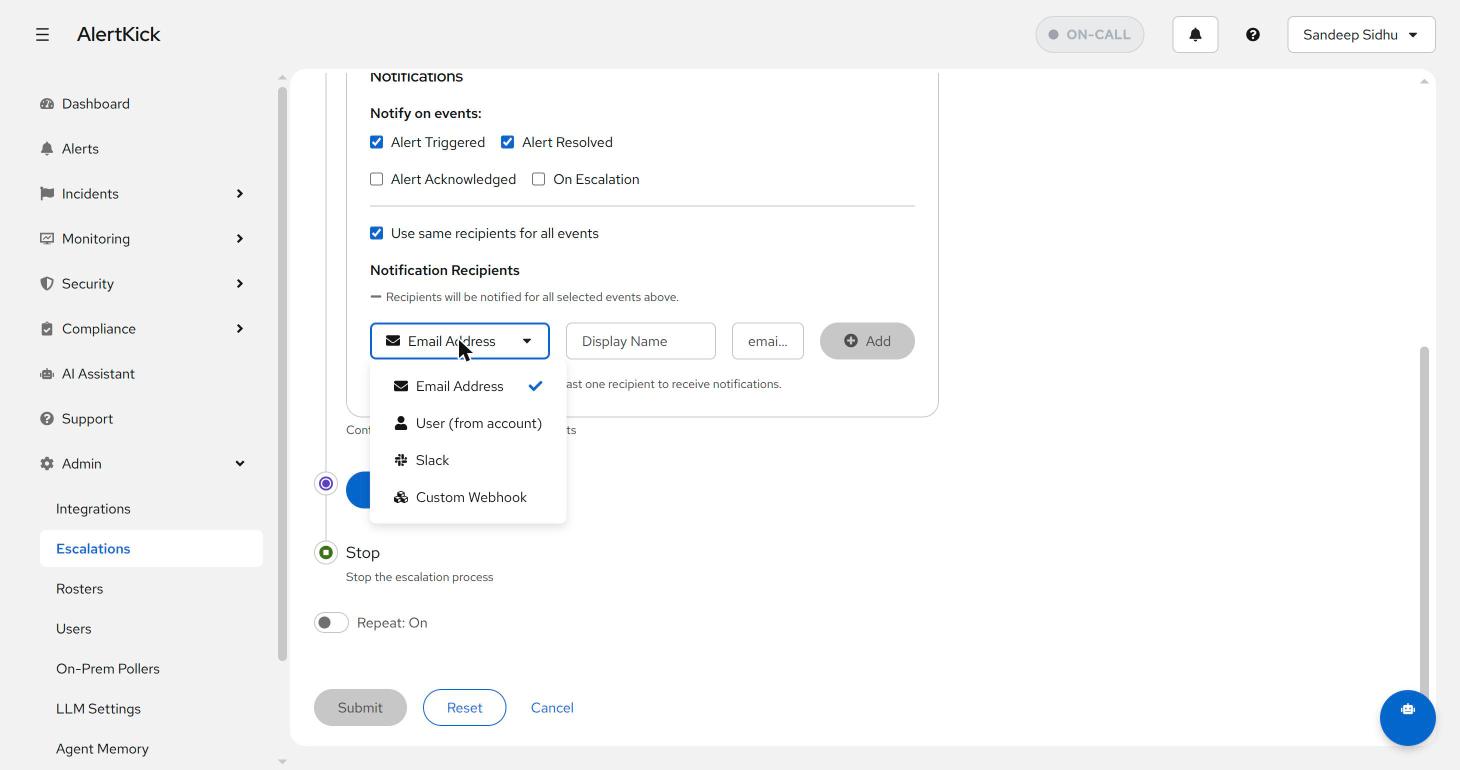
The Slack option lists your workspace’s channels directly (with a note on
whether the bot is a member), so wiring #infra-alerts is a two-click
pick, not a webhook scavenger hunt. See the
Slack integration for connecting the workspace.
Escalation levels. Every channel is also a level type, which is what makes the classic severity ladder possible - visible channel first, personal pings next, disruptive channels last:
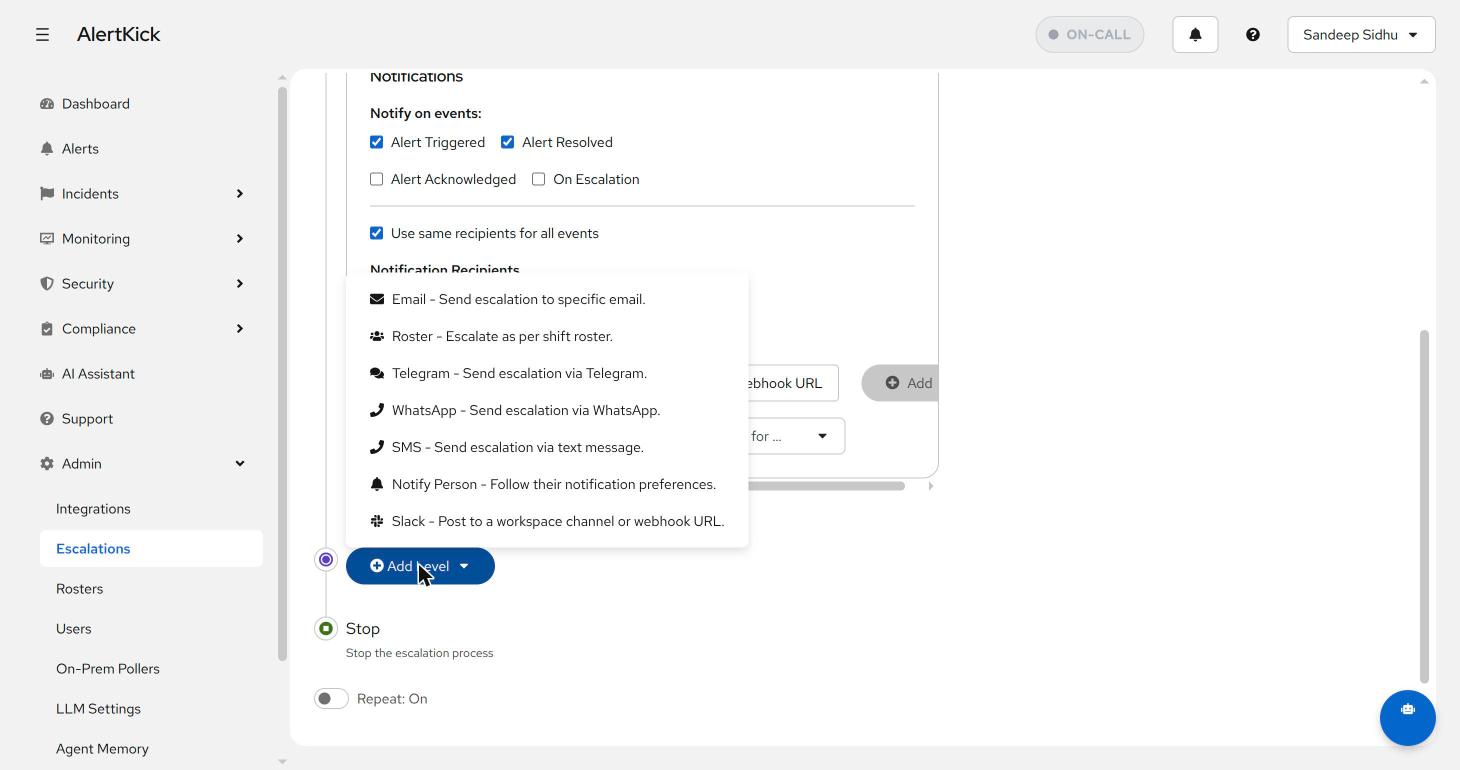
Personal preferences. Each user configures how they want to be reached. The Notify Person channel honours those preferences, so a policy can say “tell the on-call” without hardcoding anyone’s phone number into shared config - people update their own details, policies never change.
Picking channels by urgency
A shape that works for most teams:
- Every alert - Slack channel, so the whole team has ambient awareness and a searchable record.
- Unacknowledged after 5 minutes - Notify Person or a roster, following personal preferences.
- Still unacknowledged - SMS, then repeat. Texts and calls are for escalation, not first contact; a pager that opens with the most disruptive channel trains people to dread and then mute it.
Webhooks sit outside the urgency ladder - use them to mirror alerts into ticketing, status pages, or anything with an HTTP endpoint, in parallel with the human channels.
Next steps
- Build the ladder in escalation policies.
- Point the person-shaped levels at a roster so the rotation, not the config, decides who gets woken.
Try it on your own infrastructure
Everything in this guide works on the free plan or the 30-day money-back paid tiers - uptime monitors, heartbeats, escalations and on-call, plus the agent for metrics and eBPF security. Setup takes minutes, not sprints.